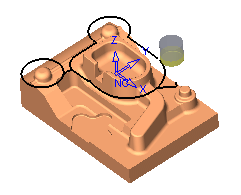
|
|
Machine Between Layers - Advanced
-
Edit the procedure in the duplicated toolpath.
Change the Machine Between Layers to Advanced and the Vertical Step Type to Fixed.
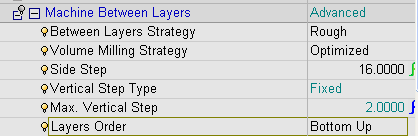
The Between Layers Strategy defines the technology used to machine the intermediate layers. There are two options to machine between layers:
-
Rough: Use only the Rough machining strategy when machining intermediate layers.
-
Finish: Creates only a finish motion between each layer.
The Volume Milling Strategy can be Optimized or User-Defined in the same way as in Tool Trajectory.
The Vertical Step Type can be either Fixed or Variable.
Layers Order determines whether the Between Layers motions will be created bottom-up or top-down.
-
-
Save and calculate.
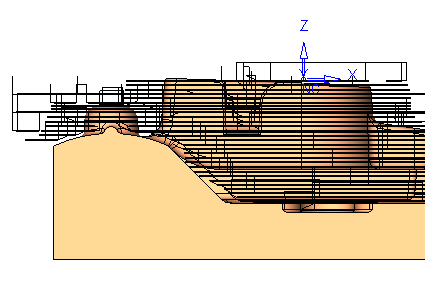
The Between Layers motions downstep differs between every 2 major layers (measure).
Major layers are calculated as Fixed and Horizontal Planes.
The machining sequence is Bottom-Up as set.
The Between Layers motions are created after each major layer (if there is a need for any).
-
Edit the procedure.
-
Change Vertical Step Type to Variable.
-
Change Maximum Vertical Step to 4.
-
Change Minimum Vertical Step to 1.5.
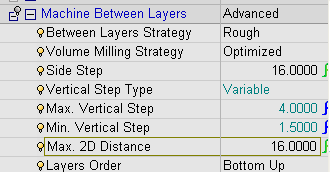
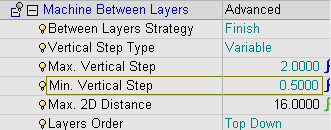
When using the Variable mode for the Vertical Step Type, the additional parameters are Maximum Vertical Step, Minimum Vertical Step, and Maximum 2D Distance.
-
-
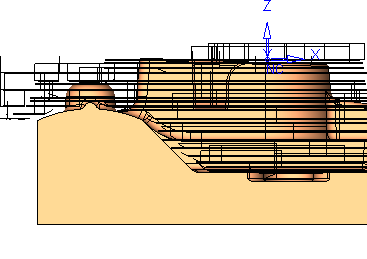
Save and calculate. View the results (Front view).
Notice that the depths of the Between Layers varies according to the Maximum 2D Distance and the limits of the minimum and maximum vertical steps.
-
Edit the procedure again.
-
Change Between Layers Strategy to Finish.
-
Change Maximum Vertical Step to 2.
-
Change Minimum Vertical Step to 0.5.
-
Change Layers Order to Top Down.
-
-
Enter the Navigator - By Layer.
Notice that the Between Layers motions down step differs between 2 to 0.5 (measure).
Only finish motions are created.