|
|
Rough Compare
-
Toggle the option Exact Compare of Unapplied Changes to Rough Compare of Unapplied Changes, Up To: 2 and click Start Analysis.
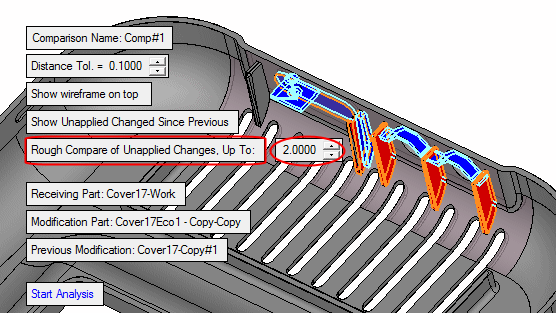
The system takes all the RED faces of the Master that should be removed due to ECO1 changes and checks in the work file whether faces identical to the Master or within a maximal distance to the Master exist. If they exist in the work file, it marks them in RED.
- Identical faces (as in Ribs 4 & 5) certainly need to be excluded from the work file because they were removed in ECO1 and should not exist in the work file.
- Faces within a distance tolerance offset (as in Ribs 2 & 3) are mended faces (of changed areas) that we would like to exclude from the ‘ignore mending’ group as explained before. Therefore, the system also marks them in RED.
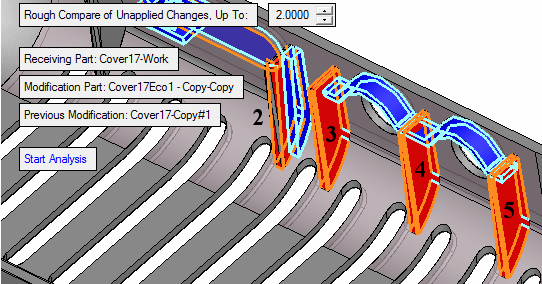
Although the faces to be removed in Rib 2 are within the applied distance, the system marked only part of the faces. This means you are made aware of the changed areas that have a mending job in the work file and can decide how to treat them.