|
|
Distance Value
-
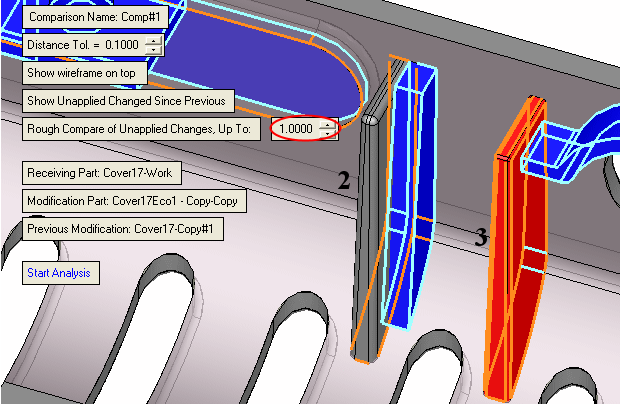
To better understand the Rough Compare of Unapplied Changes. Up To: distance value, change the value to 1 and click Start Analysis.
Note that none of the faces of Rib 2 were selected, while all faces of Rib 3 were selected.
-
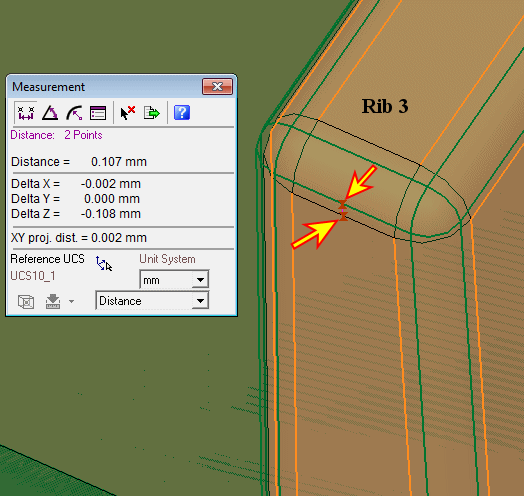
Measure the distance between the faces of the Master and the work part in Rib 3.
Note that the distance is smaller than 1 mm and therefore these faces (of work part) were selected. They are in a distance from the Master within the maximal distance range (1 mm).
-
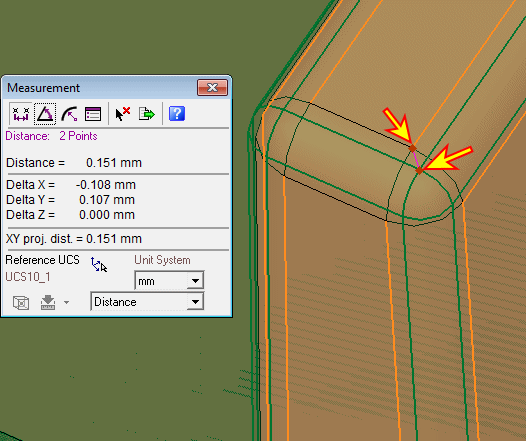
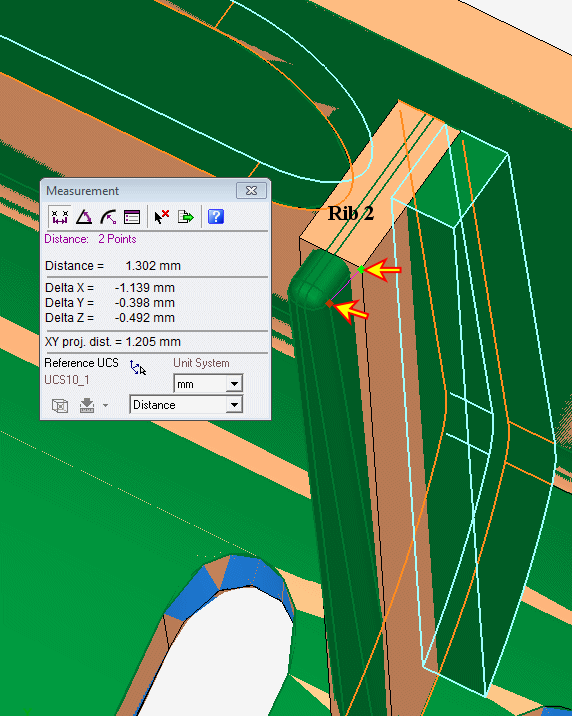
Measure the distance between the faces of the Master and the work part in Rib 2.
Note that the distance is greater than 1 mm and, therefore, these faces (of work part) were not selected. They are in a greater distance from the master (greater than 1 mm).
-
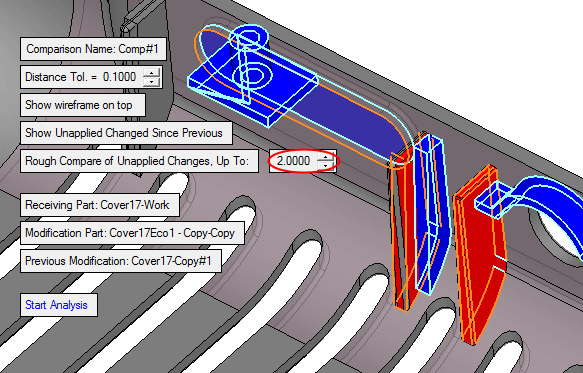
Change the value back to 2.
Click Start Analysis.
Click OK to confirm the comparison.