|
|
Tolerant Stitch
Stitch
-
Open the Tolerant Model.elt file in the following folder:
\\Cimatron_Documents\Tutorials\Cimatron_2025.0_Workfiles\Design -
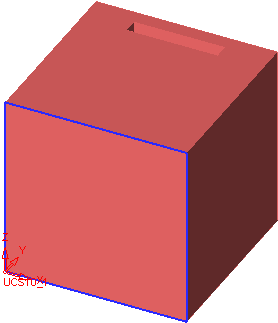
Display the objects open edges (View > Settings > Display Open Edges).
-
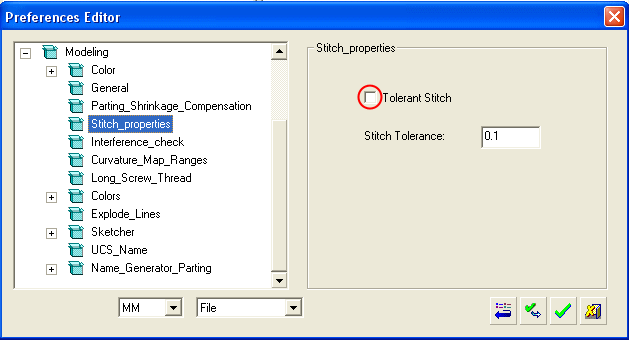
In the Tools > Preferences, deselect the Tolerant Stitch option.
-
Select Faces > Stitch, and stitch allall
 the faces.
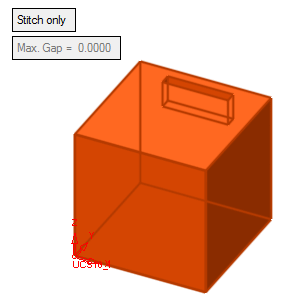
Note: There are still open edges (the system could not stitch the faces).
-
Delete the Stitch feature.


