|
|
Navigator
The Navigator dialog replaces the old Wireframe simulator and provides more capabilities to control and navigate the toolpath.
Navigate the toolpath according to a variety of step types (layer, pass, block, etc.) with further capabilities to analyze the toolpath result.
We recommend that you complete the Global Motion exercise prior to this exercise.
Navigator Structure
-
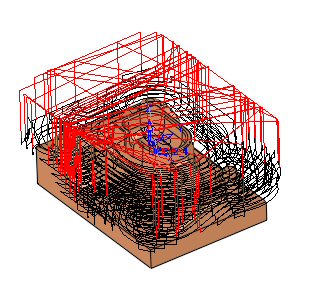
Open the Navigator.elt file.
-
Click NavigatorNavigator
 in the NC Guide, or select the Navigator option in the menu under NC Process > Simulation > Navigator.
While you are using the Navigator, a Navigator Environment icon is displayed in the right upper corner of the display area.

This indicates that you are in the Navigator environment. Therefore, the Process Manager and other functions are disabled.
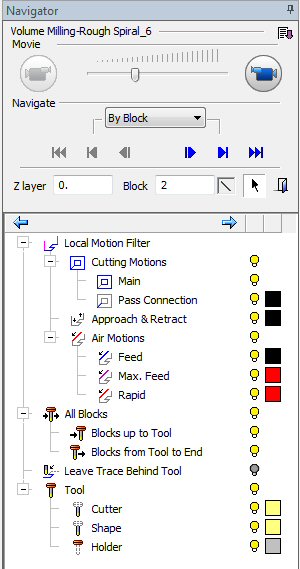
The upper part of the Navigator contains several buttons.
 |
Step: |
The current selected navigating type. |
 |
Go to Start |
A step can be one of the above-mentioned options (By Block, By Layer, By Pass, By Vertical/Horizontal, By Procedure). In this example: Go to the first layer. |
 |
Previous Step |
Moves a step backwards (moves a Layer/Pass/Block backwards). |
 |
Next Step |
Moves a step forwards (moves a Layer/Pass/Block forwards). |
 |
Go to Last Step |
Go to the last step. A step can be one of the above-mentioned options (By Block, By Layer, By Pass, By Vertical/Horizontal, By Procedure). In this example: Go to the last layer. |
 |
Previous block |
Moves the tool one block backwards. |
 |
Next block |
Moves the tool one block forwards. |


