|
|
Comparison process
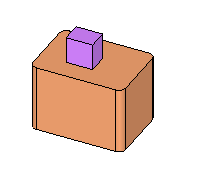
To better understand the process, let’s have a look at a simpler example. The first picture shows a master file and the second picture shows the work part, which includes rounds features as part of a mending job in the work file.
|
Master |
Work part |
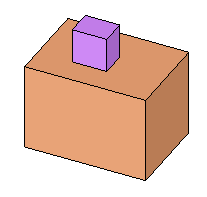 |
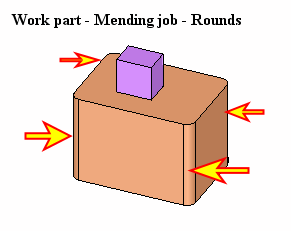 |
The comparison between the work file and the master emphasis the rounds as the different features.
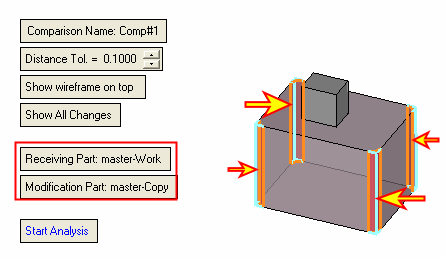
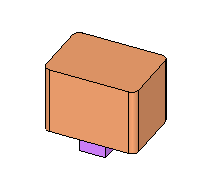
After working on the mending job, a new ECO file arrived. The master is on the right picture
|
New ECO |
Master |
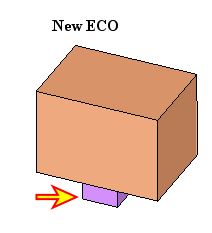 |
|
The difference can be seen in the following comparison between the Master and the ECO files
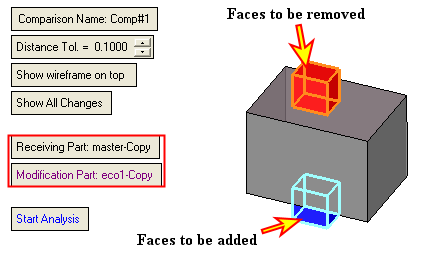
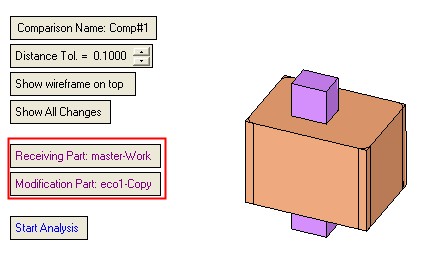
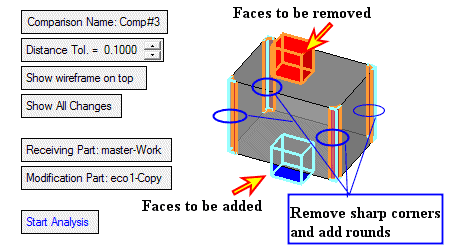
However, as we have to apply the changes in the work file, we will compare between the Work part and the ECO. Using the Show All Changes option will mark the changes between ECO1 and the master (remove the upper cube and add the lower cube) as well as the mending job.
|
Comparison between Work and ECO1 including the mending: |
|
 |
 |
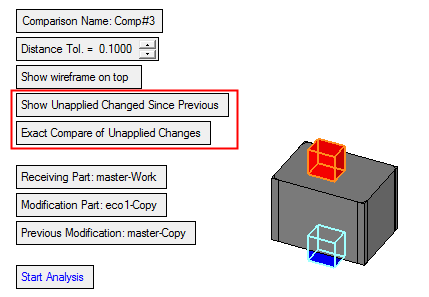
We would like to keep the mending job and to apply just the changes between the master and the ECO. Therefore, we will use the option Show Unapplied Changes Since Previous. This will show only the changes between the ECO and the master and ignore the mending job (Picture 1). The final result of the work after applying these changes would look like in Picture 2.
|
Picture 1: Show Unapplied Changes Since Previous |
Picture 2: Final result of the work after applying the changes. |
|
|
Before changes |
After changes |
|
 |
 |
 |

