|
|
Comparison Between Work and ECO1
Comparison Between Work and ECO1, excluding the Mending Job
The following comparison will be actually used to implement the changes.
The comparison is executed between the same ECO1 part, but this time it is not against the master file but against the work file. Since the work file has Mending features, these have to be ignored.
Now that we understand the changes in ECO1, we will apply them on the model (the work part).
-
Turn on the work part.
-
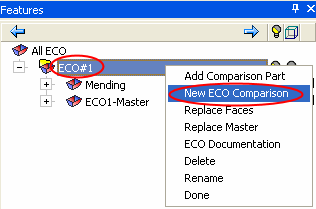
Create a new ECO Comparisonnew ECO Comparison.
-
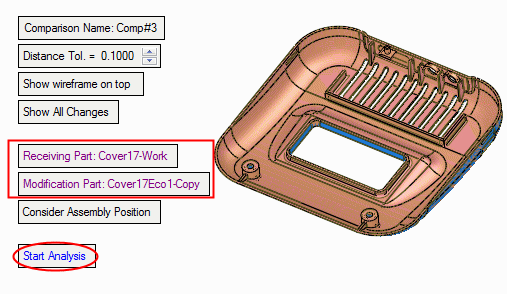
Accept the default suggestion of the system regarding the Receiving Part: Work Part and the Modification Part: Cover17ECO1-Copy.
-
Click Start Analysis.
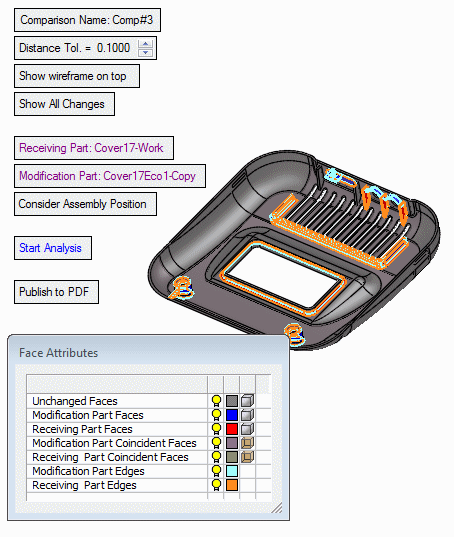
Notice the changes. The changes shown below are all the changes, including the changes done inside the work file itself (the mending features in the master file).
-
For more on the comparison process click here.


