Cutters & Holders Parameters  :
:
Cutter Tab – Compensation Register No. Area

Access: Open this function from one of the following locations:
The Cutters and Holders dialog (or the minimized version - the Select Only Mode):
-
When not editing or creating a procedure, select NC-Process > Cutters > Cutters from the menu bar or select Cutters
in the NC Guide Toolbar. -
While editing or creating a procedure, use one of the following methods (in both methods, the Select Only Mode is displayed):
-
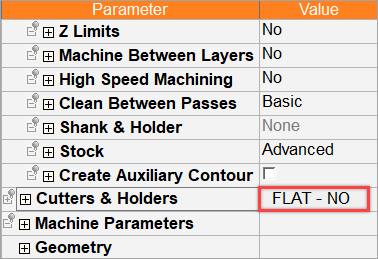
In the Advanced Mode, click on the cutter name in the Procedure Parameter Table.
-
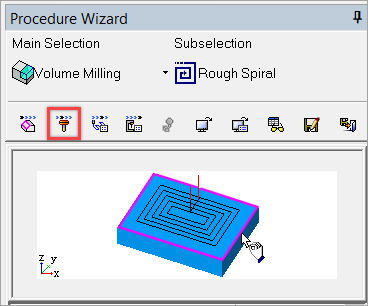
In the Wizard Mode, select the cutter button.
-
-
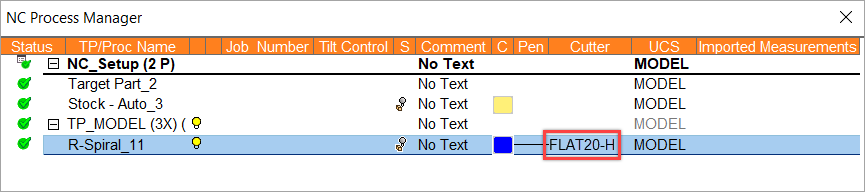
In the Process Manager, click on the cutter name in the procedure row (in this case, the Select Only Mode is displayed).
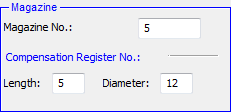
This topic discusses the parameters in the Length Compensation and Diameter Compensation pane.
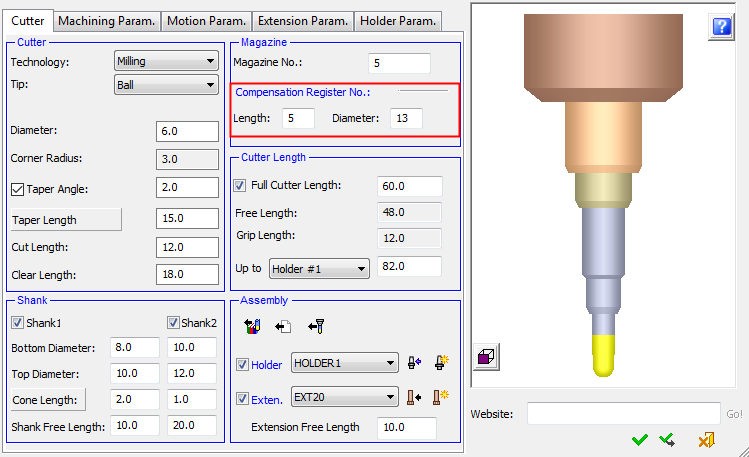
These parameters are only displayed if the Compensation Register Control parameter is selected in the Preferences > NC > Default Values and can only be used by appropriate Post Processors.
These parameters enable you to define the Diameter Compensation of a tool in relation to the Length Compensation + a numeric value. This numeric value, if it is > 0, ensures a constant difference between the Diameter Compensation and the Length Compensation.
These parameters can be set either in the Cutters and Holders dialog (shown above) or the in the Preferences. The Preferences enable you to set the numeric value which ensures the constant difference between the Diameter Compensation and the Length Compensation.
The following rules apply:
The default numeric value (in the Preferences) is set to 0 so that the Diameter Compensation = Length Compensation.
By convention, the Magazine Number = Length Compensation; however, these parameters can be set as required. So initially (rules 1 and 2), the Magazine Number, Length Compensation and Diameter Compensation are the same.
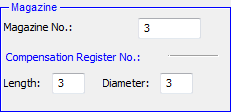
A change in the Magazine Number affects the Length Compensation and the Diameter Compensation; however, the Length Compensation can be defined independently of the Magazine Number.
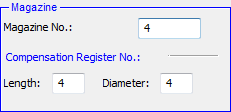
A change in the Length Compensation affects the Diameter Compensation. For example, if the numeric value in the Preferences is changed to 5, the Diameter Compensation will always be 5 more than the Length Compensation.
|
The Length Compensation affects the Diameter Compensation. |
|
|
|
|
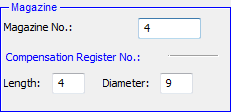
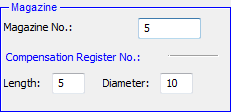
However, the Diameter Compensation can also be defined independently of the Length Compensation.