Local Decimate  : Options and Results

Access: Open this function from one of the following locations:
-
Select Mesh > Mending Operations > Local Decimate from the menu bar.
-
Select Local Decimate from the Mesh Guide Toolbar.
Decimate (simplify) selected facets.
Required Step 1 
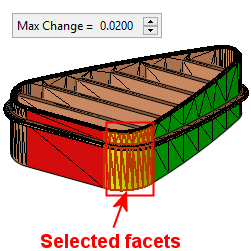
Pick facets and define the decimation tolerance.
See Facet Selection for a description of the various facet selection options.
Note: Closed and open Mesh objects can also be picked.
The following parameter is displayed:
|
Max. Change |
Enter the maximum change tolerance when decimating (simplifying). Default: 0.02 mm (0.001 inch). |
Example operation:
|
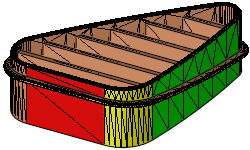
Original object: |
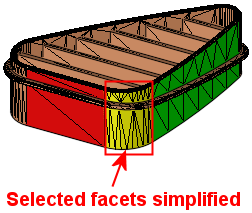
Selected facets simplified: |
|
|
|
Press OK  or Apply
  in the Feature Guide to complete the function.