Package Manager - Client Side

Access: Open this function from the following location:
-
Click the Package Manager button
 in the License
Manager dialog.
in the License
Manager dialog.
Important: This Licensing method is no longer used by Cimatron. This information is provided for reference only. For Cimatron v2026SP2 and above, see Licensing Cimatron.
After the license is defined, you are ready to work. The system requires the setting of a Base Package in order to work. This is done via the Package Manager.
See Licensing - Client Side for the procedure for acquiring and setting up the license.
Any valid license must contain at least one base package. Select a base package from the list of available base packages displayed in the Package Manager dialog.
If there is only one Base Package available in all the valid licenses, it is automatically selected and the Package Manager dialog is not displayed. However, if there is more than one Base Package available for you, the Package Manager is displayed listing the available Packages and you are required to select one.
Once you have selected a Base Package, it is automatically loaded the next time you run the product, unless all the available licenses of this package are already grabbed by other users. In this case, the system will require you to select a different Base Package, if one is available (if no Base Package is available, the Package Manager dialog is displayed empty).
The Package Manager dialog is displayed.
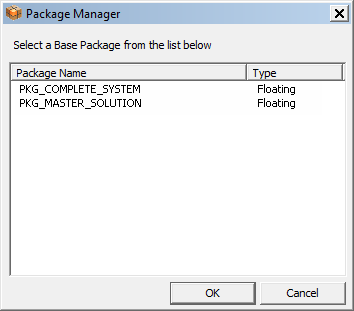
Select the required base package:
InvokeInvoke the Package Manager tool. The Package Manager dialog is displayed.
Select the required base package and press OK to close this dialog.
Note: For more on licensing, contact your Provider or Reseller.
