|
|
Actions 3
-
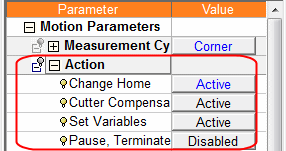
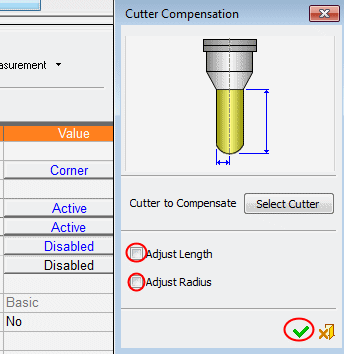
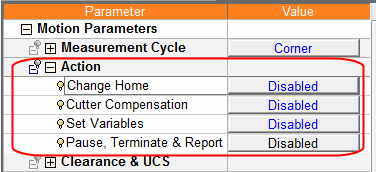
Set the parameters apart from the Change Home to be disabled.
-
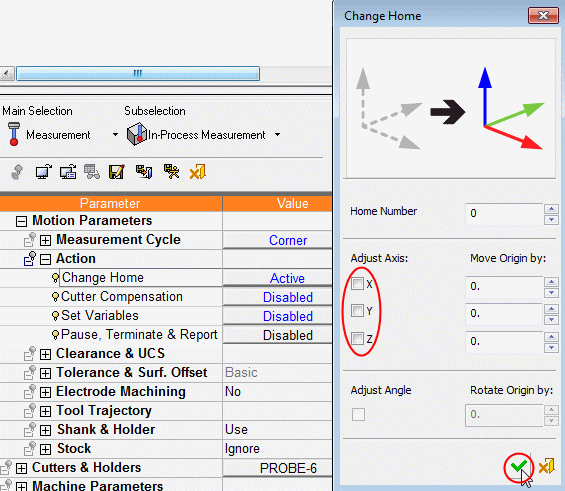
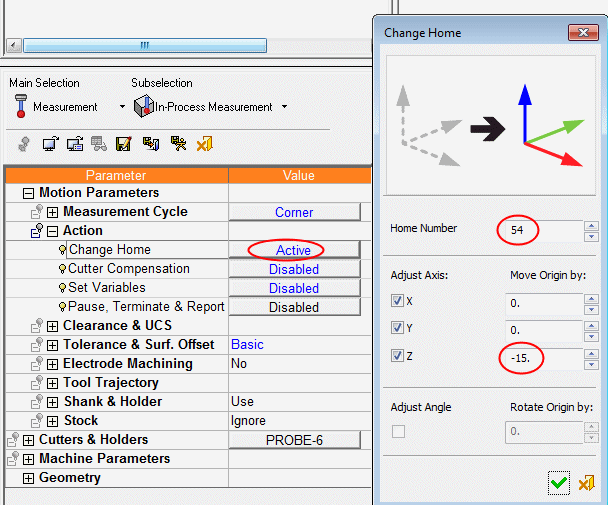
To instruct this in the procedure, click the Change Home button to open the dialog.
In the Home Number field, type the home to be set. If it is a FANUC control, you can type 54 for the G54 home.
The Adjust Axes check boxes define for which axes to adjust the home position. -
In the Move Origin By, it is possible to type the coordinate of the measured point from the actual zero.
Type -15 for Z to specify that the measured point is actually at Z-15 (the zero point will be set 15 mm higher).
Note that at the bottom of the dialog there is an inactive angle adjustment option.
The adjustment setting depends on the type of measurement performed.
If it were an Angel Measurement cycle, the linear adjustment would have been inactive and the angle adjustment active.
-
Close the dialog and execute the procedure.
Note that Action settings do not influence the way the procedure is being executed and displayed. It only sets some parameters, which are considered while posting.