|
|
Actions 5
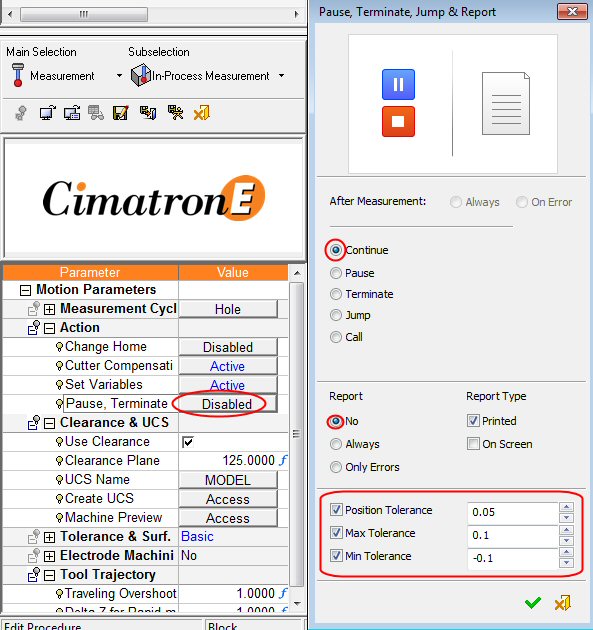
The last action is Pause, Terminate, Jump, and Report.
-
Click on the button to open the dialog.
At the bottom of the dialog, there are three threshold tolerance values: true Position Tolerance and min/max Dimension Tolerances.
These tolerances should be entered by the user according to the engineering requirements. As long as the measured result is within the tolerance range, it is not considered an error, which may or may not trigger an action as set above.
The After Measurement section determines what will happen after the measurement. The radio button selection options are: Continue, Pause, Call a subroutine or label, Jump to a different point in the program, or Terminate the program execution.
All of the above options are to be done Always or On Error, considering the threshold tolerances below.
In case that Call or Jump are selected, the Target Proc button opens a dialog for procedure selection. This dialog resembles the transformation procedure selection dialog with less details. The user should select the procedure(s) that machined the measured feature. The Number of Calls parameter determines the number of repetitions for the above selected Call/Jump. - Set the parameters as shown in the following image:
- Click OK.


