|
|
Add ECO and Compare It With the Master
Add ECO1 Part File
So far we have only considered the changes made to the work part called Mending.
Now let’s start working with the real changes. We have now received the first ECO from the customer. This is actually the master file with changes.
The following comparison will not be used to implement changes. It is used for this tutorial only.
-
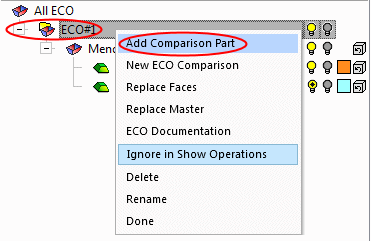
Right-click the ECO#1 folder and select Add Comparison Part.
-
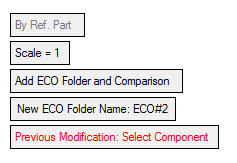
Select the Cover17Eco1.elt file. The following dialog is displayed:
-
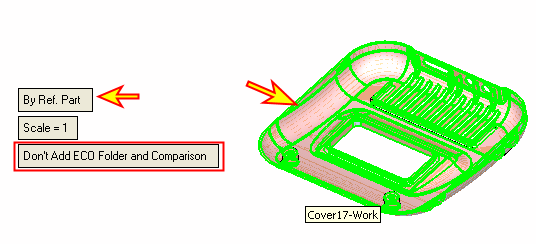
Toggle the option Add ECO Folder and Comparison to Don't Add ECO Folder and Comparison.
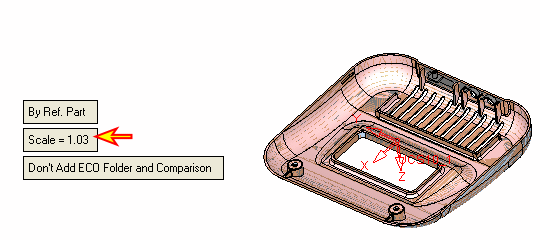
To place the ECO file in the correct location, orientation, and scale, use the By Ref. Part (default) option and select either the work part or the master part. (Also notice that before selection, the Scale is 1.)
-
The ECO file was placed correctly and the scale changed to 1.03 (like the scale factor in the work file). Click OK.
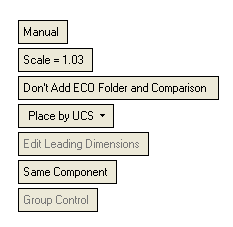
You can always use the Manual option rather than the By Ref. Part option to manually place the part.
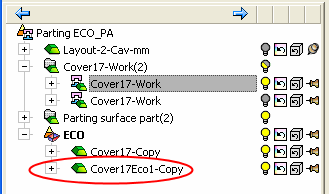
The ECO1 was added to the assembly tree (Cover17ECO1 – Copy.elt).