|
|
Rough Between Layers
Machine Between Layers inserts intermediate layers between each two consecutive rough layers. This enables the function to extend its capability and also cover cases where you want to mill thin walls in such a way that they won't break. These parameters are also applicable for thin ribs, electrodes, or micro milling.
The Machine Between Layers option enables you to define the level of control over its use and the display of the parameters in the branch. The following branch options are available: No (default option), Basic, and Advanced.
Machine Between Layers - Basic
-
Open the Rough between layers.elt file.
-
Simulate the first toolpath.
Select the Standard option.
-
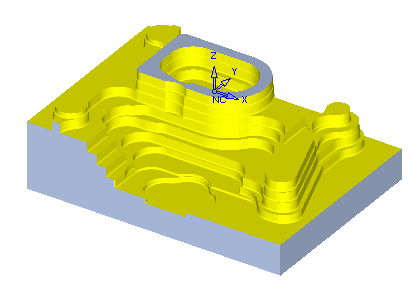
The result displayed in the following image is a procedure without the Between Layers option.
-
Duplicate the toolpath.
Edit the procedure in the duplicated toolpath. -
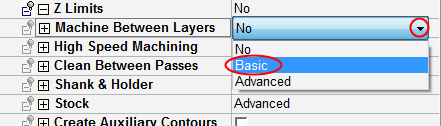
Change the Machine Between Layers to Basic. This will create machine between layers with the default system setting (the default values can be seen by selecting the Advanced option).
-
Save and calculate.
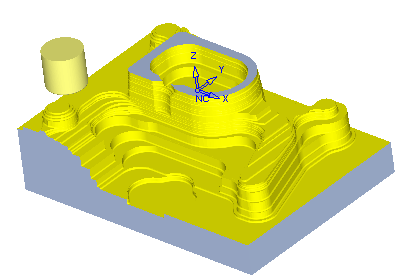
The result is much closer to the final geometry due to the Between Layers motions that were added.