|
|
Bumping
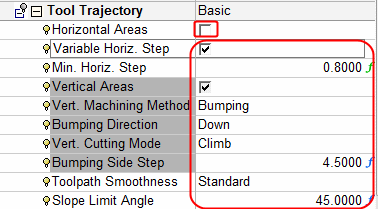
Vertical areas will now be machined using bumping machining technology. This is used mainly for semi-finish/finish operations to quickly remove material using vertical motions.
-
Edit the procedure and change the technology to Finish Mill by Limit AngleFinish Mill by Limit Angle.
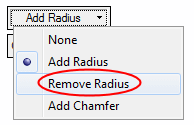
-
Select the Flat 30 cutter.
-
Pick the boundaries shown in the following images:
Select the contour, Exit, set the parameters, and click Apply to select the second contour.
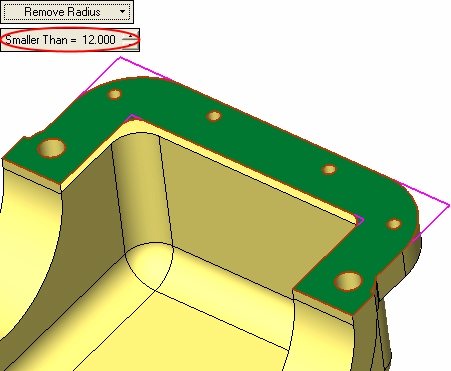
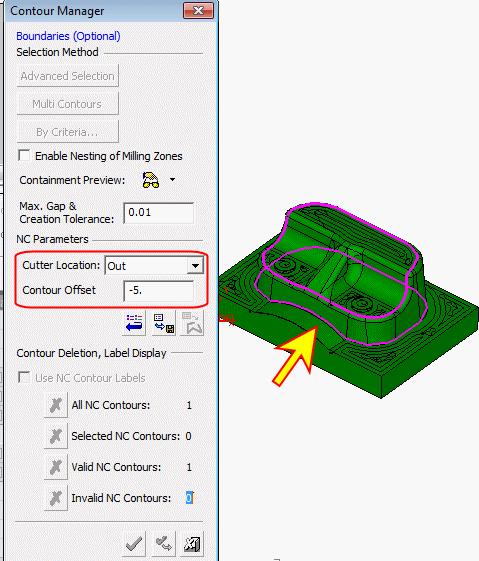
-
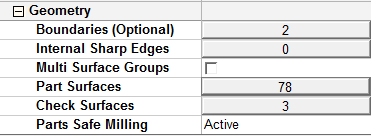
Click on the Part Surfaces parameter and select Reset All.
-
Click on the Check Surfaces parameter and pick the three faces highlighted in the following image:
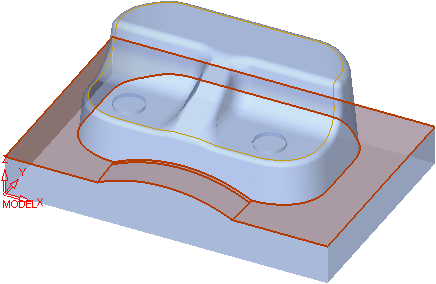
-
Click on the Part Surfaces parameter and select All Displayed part surfaces.
-
Set the parameters shown in the following image:
-
Unmark the Entry/Exit - Beyond Boundary Limits option.
-
Save and calculate the procedure.
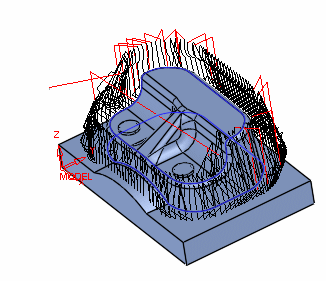
When a part has near vertical walls and a large diameter cutter is used, bumping technology saves machining time when compared to layers technology.


