|
|
Limit Angle
Using the Limit Angle technology, both horizontal or vertical areas (divided by a slope angle) can be milled using different machining technologies.
-
Edit the procedure and select the BN10R2-H cutter.
-
Reset the Boundary selection and pick the boundary shown in the following image:
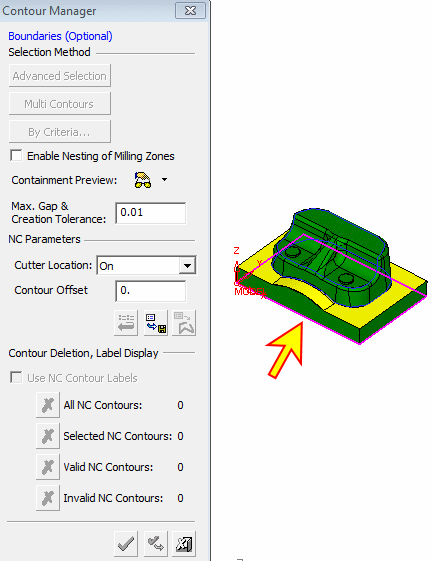
-
Reset the Part Surfaces and Check Surfaces selection and pick the 4 check surfaces shown in the following image:
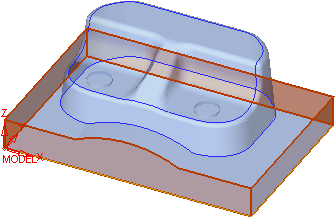
-
Select All Displayed Part Surfaces.
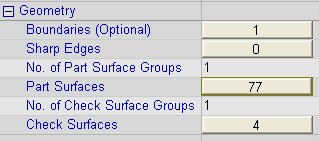
-
Set the parameter shown in the following image:
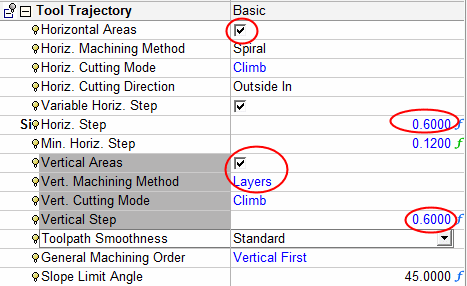
The Slope Limit Angle is the maximum angle between the machined surface and the reference (horizontal or vertical) plane.
-
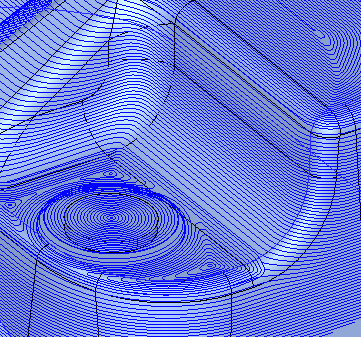
Save and calculate the procedure. Vertical machining is performed on surfaces with an angle of 45 degrees or more.
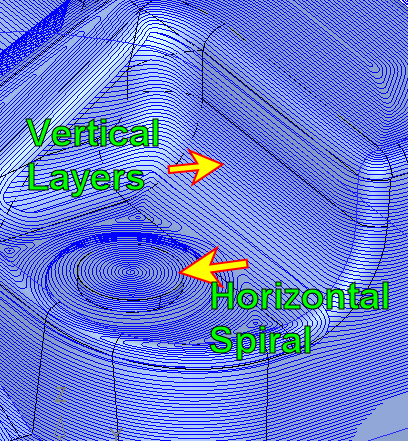
Horizontal spiral machining and vertical layer machining can clearly be seen in the previous image.
The Z value constantly varies using the horizontal machining method, while the vertical machining method maintains a constant Z value at each machining layer. -
Edit the procedure and change the Limit Angle to 25.

-
Save and calculate the procedure. Now vertical machining is performed on surfaces at an angle of 25 degrees or more.