|
|
Chamfer Detect Step 2
-
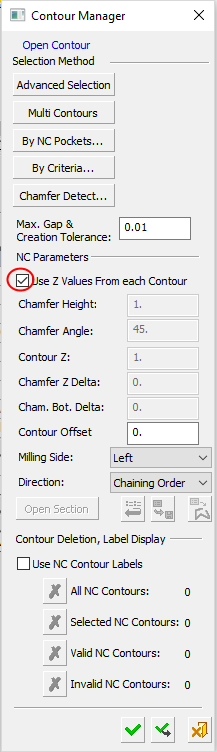
Mark the Use Z Values From Each Contour checkbox.
-
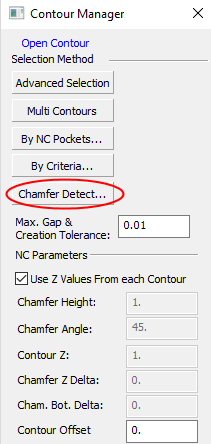
We will now limit the system to look for only 45° chamfers. In the Contour Manager dialog, set the parameters as shown in the following image. Click the Chamfer Detect button.
-
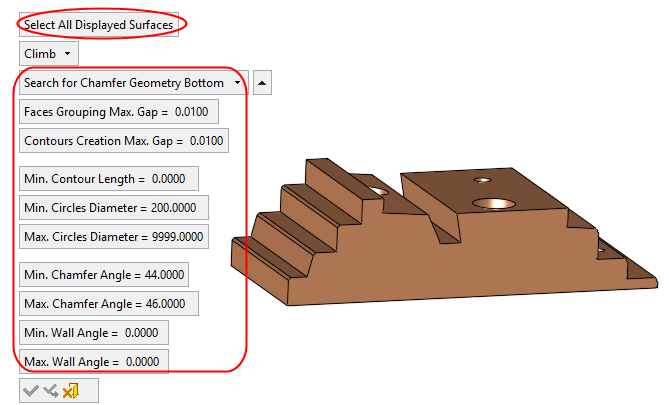
Select all the surfaces of the stepped object and apply. Note that the default direction is Climb.
Because Min. Chamfer Angle = 44 and Max. Chamfer Angle = 46, the system detected only 45° designed chamfers. -
Click OK.