|
|
Chamfer Detect Step 3
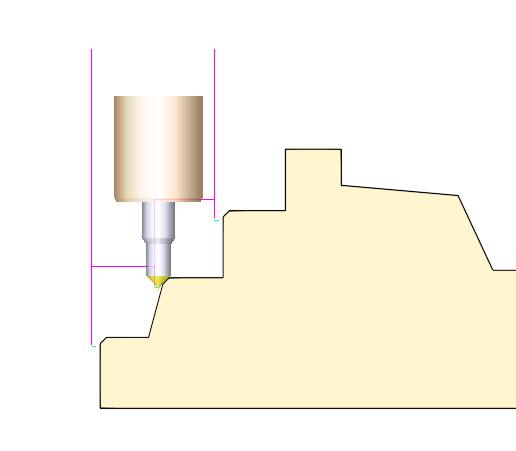
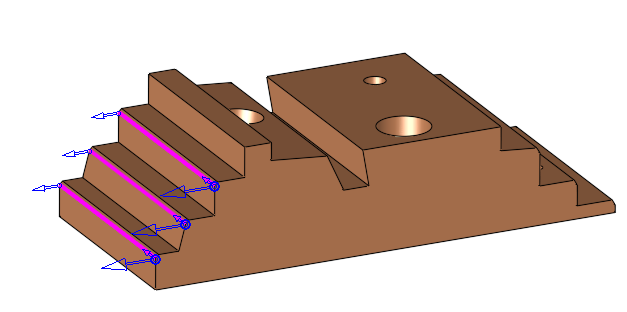
The system did not detect the chamfer in the middle step, although it contained a 45° chamfer.
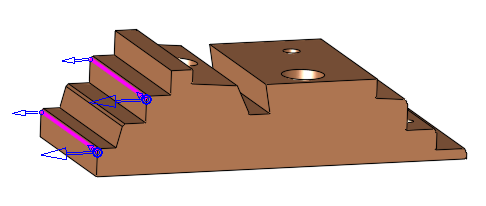
The reason is that the Wall face is not normal to XY plane.
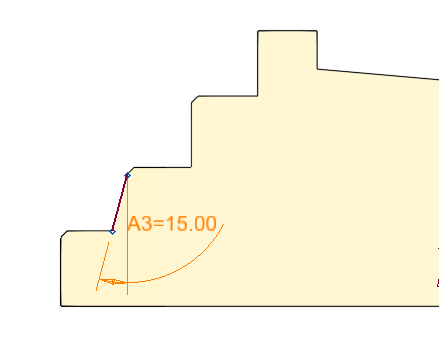
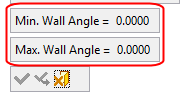
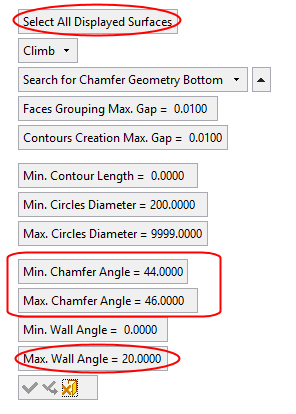
Notice that the parameters were set to Min/Max Wall Angle = 0; at this position the system detects only straight walls.
-
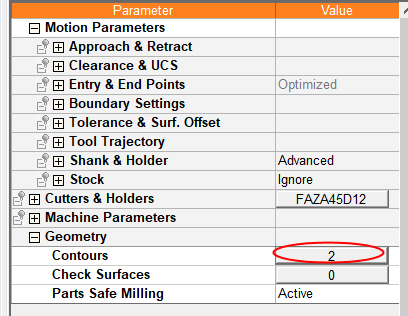
Repeat the previous step. This time search for 45° Chamfers with a tapered wall. Click the Contours button.
-
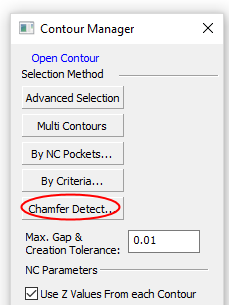
Click Chamfer Detect.
-
Change the Max.Wall Angle to 20 and click the Select All Displayed Surfaces button.
-
Click OK.
-
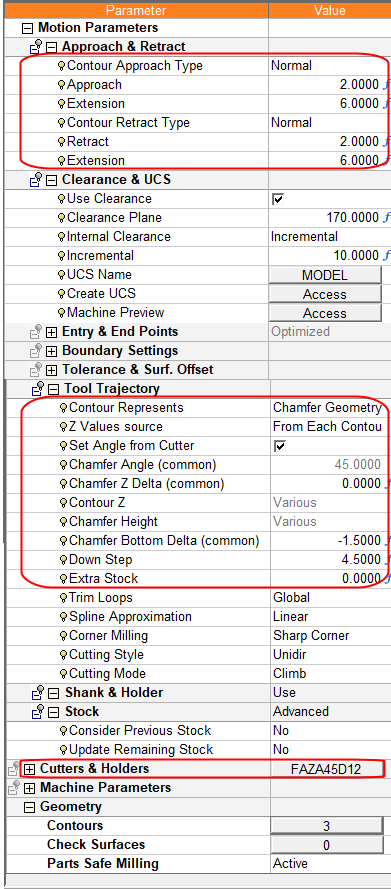
In the NC Parameters table, select tool no. 2 (FAZA45D12).
-
Set the values as shown in the following image, ensuring that the parameter Contour Represents is set to Chamfer Geometry Bottom.
-
Calculate the procedure.
-
Click Navigator to observe the results.