|
|
Chamfer Detect Step 6
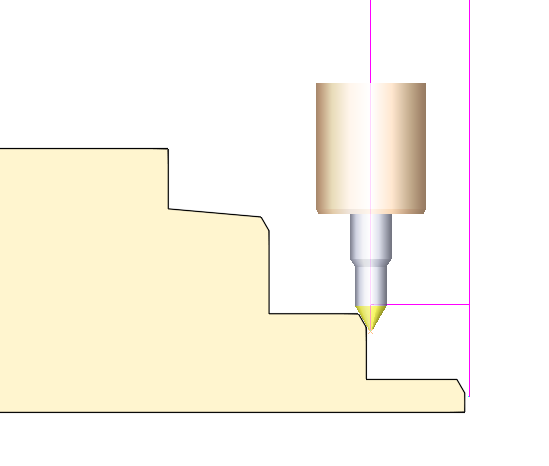
As you can see, this time only contours with Parallel Ceiling were selected.
We will set the parameters Min Chamfer Angles = 90 and Max Chamfer Angles = 90. At this position, the system searches only for Parallel Ceilings.
-
Select the 30° taper angle tool, no. 3 (FAZA30D12).
-
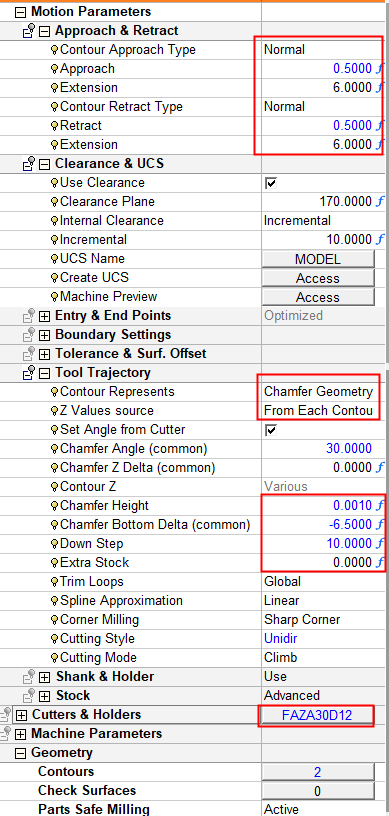
Set the same values for the Motion Parameters Table, ensuring that the parameter Contour Represents is set to Chamfer Geometry Top.
-
Calculate the procedure.
-
Observe the results using the Navigator.