|
|
Chamfer Detect Step 7
Imaginary Chamfers
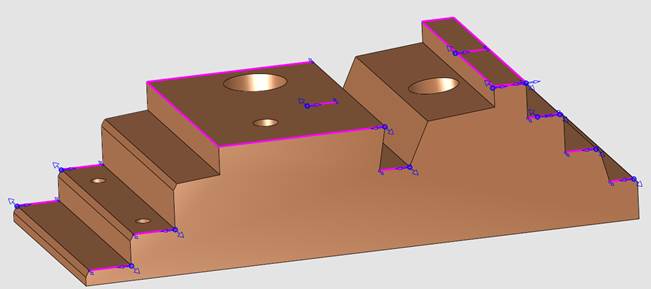
The model in the exercise contains some sharp edges. Although the designer did not define them as chamfers, it is common to break sharp edges. The system can detect these depending on the user request (according to the search criteria) and ignore the designed chamfers.
-
Copy and paste the first procedure and open it for editing.
-
In the Contour Manager dialog, delete the old NC contours.
-
Click Chamfer Detect.
-
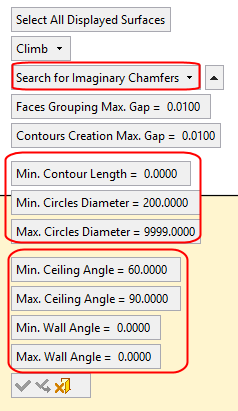
In the dialog, set the values as shown in the following image to limit the system to Search for Imaginary Chamfers.
-
Select all the surfaces of the stepped object and Apply.
Notice that the system detected only the sharp edges and ignored the designed chamfers.