|
|
Chamfer Detect Step 8
-
Select tool no. 2 (FAZA45D12).
-
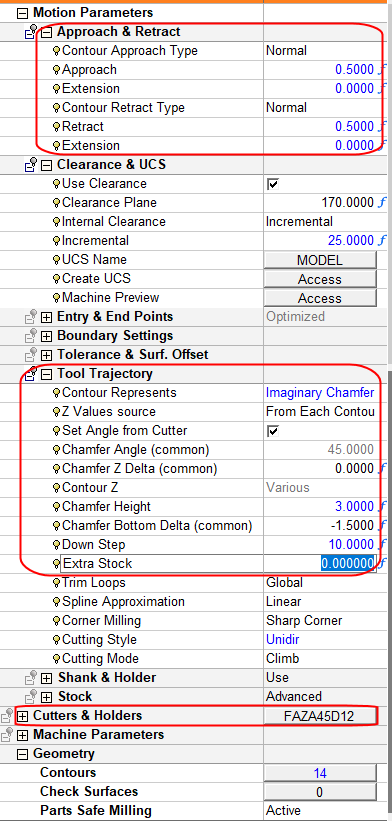
Set the Motion Parameter values as shown in the following image and calculate the procedure.
-
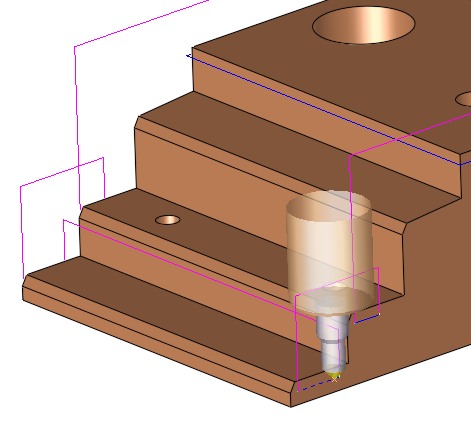
Execute and click Navigator to see the tool motions.


|
|
|
|
Chamfer Detect Step 8
Select tool no. 2 (FAZA45D12).
Set the Motion Parameter values as shown in the following image and calculate the procedure.
Execute and click Navigator to see the tool motions.
|
