|
|
Clean Ridges Method
-
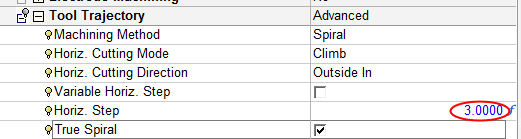
Edit the procedure and change the Horizontal StepHorizontal Step to 3.0.
Notice that the Clean Ridges MethodClean Ridges Method parameter no longer appears in the Clean Between Passes branch.

The Horizontal Step/Round Corner ratio is internally considered. Whenever the ratio value is large, it is assumed that the work is performed under Rough conditions and the only option to handle ridges is a Stretched motion (rounded or not depends on the Round Corner selection).
Whenever the ratio value is small, it is assumed that the work is performed under Finish conditions. In this case, there is a choice between Trochoidal or Stretched motions.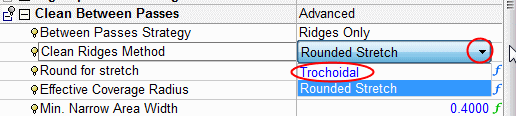
-
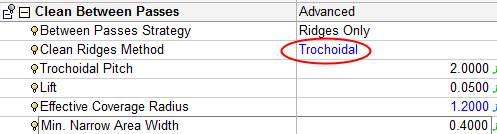
Change back the Horizontal Step to 2.0. Select the Trochoidal method and set the values as shown in the following image:
-
Save & calculate.
-
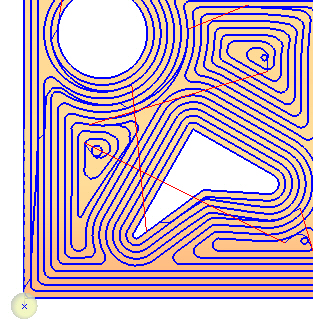
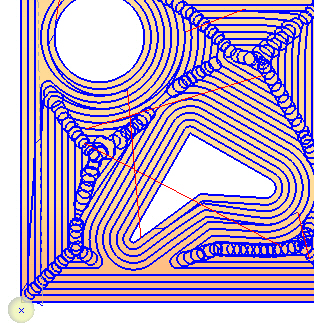
Compare the result of the Trochoidal motions with the procedure without clean between passes.
-
Observe the lift parameterslift parameters. Make it larger to view the result.
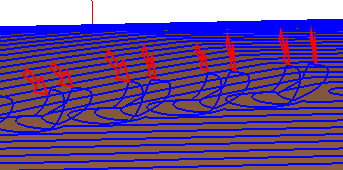
In Trochoidal motions when the cutter moves back, it may be lifted from the material to avoid leaving machining marks.
Define the lift offset of each spiral Trochoidal movement from the machining surface.


