|
|
Prevent Waterfall - Negative Surface Offset
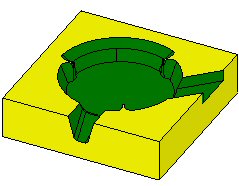
Prevent Waterfall enables you to create a quality toolpath that will not roll over the corners of the part. This is achieved by a combination of multi offset groups of check faces together with the advanced surface offset dialog.
- Load the Multi-Offset-Waterfal.elt file.
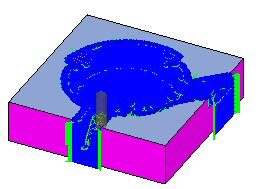
View the toolpath of the F_Slope10 procedure.
- Edit the procedure.
- View and expand the Tolerance and Surface Offset branch as shown in the following image:
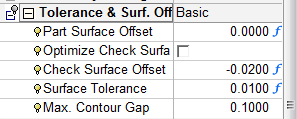
The offset for check faces (YELLOW) is set to a default value (-2* SURFACE OFFSET).
The result is over-machining (motions roll over into the check surface areas).