|
|
Cleanup
-
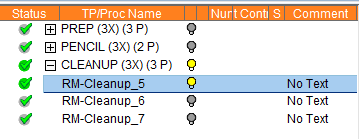
Hide all motions. Expand the third toolpath (named CLEANUP).
-
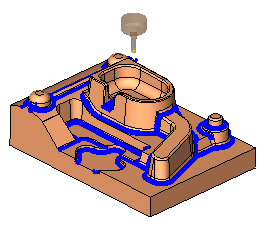
Display the motions of the first procedurefirst procedure.
-
Toggle the motion displayToggle the motion display of the first two procedures.
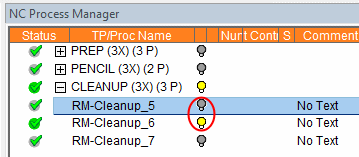
Note that the motions in the second procedure do not go all the way down.
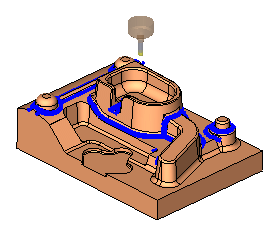
- Edit the second procedure. Notice the Z Bottom limit.

- Toggle between the last two procedures.
Notice that the last procedure has more unmachined areas.
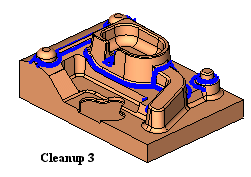
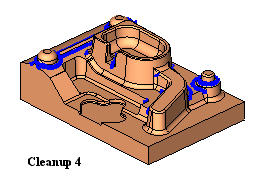
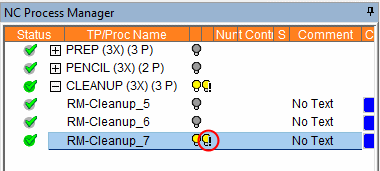
- Edit the last procedure. Expand the Holder tracking branch.
Note that thecheckbox for Limit Toolpath by Holder and by Shank is marked (while in the previous procedure, the parameter isn't marked). Therefore, there are more unmachined areas.
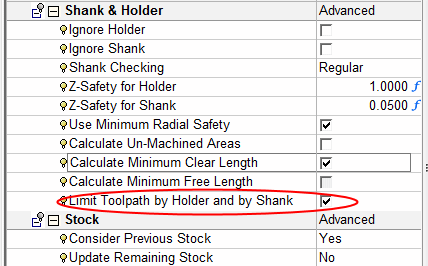
If the Limit Toolpath By Holder and by Shank is marked, Cimatron will calculate if there will be holder collisions.There are cases where you might not want to consider the Holder and Shank in procedure calculations. These may be:
-
If you know that the holder does not gouge and you want to reduce the execution time.
-
If you want to reduce execution time and only add the holder check on the last run.
-
If the tool setup is changed but you know that it won't affect the procedure.
-
If you want to update the Clear Length according to the displayed system message but you don't want to suspend the procedure.
-
If the holder is removed or added but you don't want to suspend the procedure.
-
-
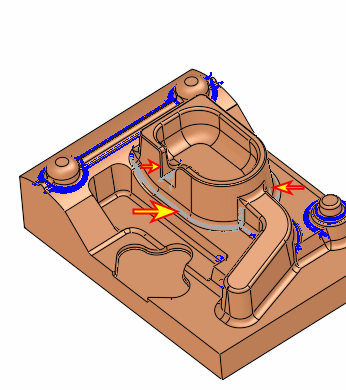
Edit the last procedure. Mark the checkbox Calculate Un-Machined Areas.
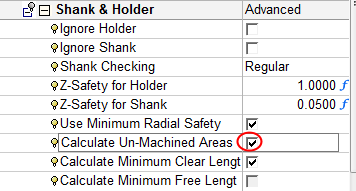
This parameter highlights unmachined areas that were calculated but not yet machined due to the holder prevention mechanism (to avoid holder collision with the part/stock). -
Hide/Show Holder Prevent Areas in the NC Process Manager.