|
|
Column Chooser
-
From the menu, click Column ChooserColumn Chooser
 .
.
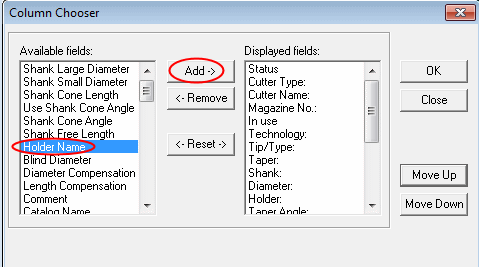
Use the Column Chooser dialog to add or remove fields in the table and sort them as required. -
Add the Holder Name field.
-
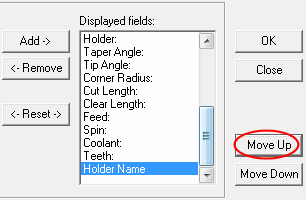
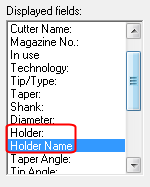
Move the Holder Name up until it is below the Holder field.
-
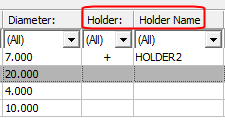
Click OK. The new column appears in the cutter table next to the Holder column.
-
Click the Clear All FiltersClear All Filters
 button.


