|
|
Control the Motion Behavior
-
Edit the procedure and click the Link tab.
-
In the Gaps Along Cut and Links Between Slice groups, change the values as shown below.
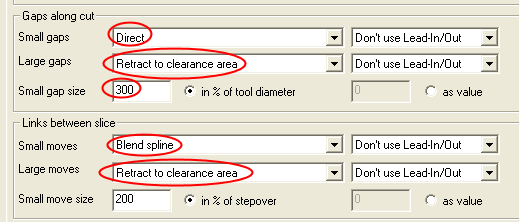
There are three dialog groups:
Gaps Along Cut: To control the motion behavior when interference along a cutting lane.
Links Between Slice: To control the motion behavior between lanes/layers.
Links Between Passes: To control the motion behavior between regions.
In the first two groups, there is a difference between small and large. The definition of what is small and what is large can be defined by the user as a percentage of the tool diameter or exact value:

Different motion behaviors can be set for the small gaps or large ones:
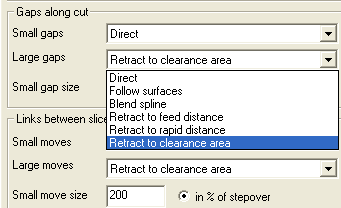
- Execute and view the results.
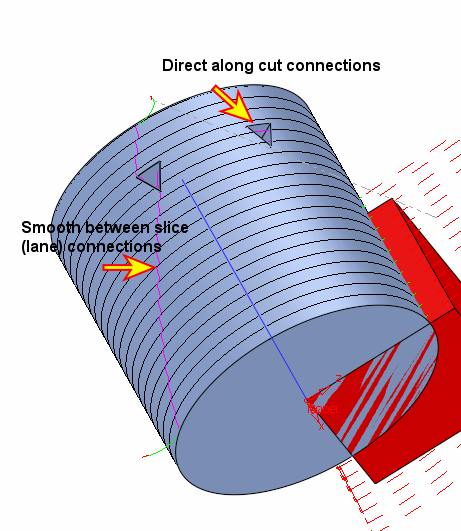
Notice that the connections are now directly over the triangle gap. By setting the along cut to 300 percent (of tool diameter), the system was instructed that up to 60 mm (tool diameter 20 mm), the gap should be considered as small and the connection type will be direct. The Blend Spline setting resulted in smooth S-connections between the slices.


