|
|
Use Lead
-
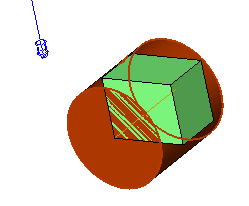
Hide the Cylinder set and show the Cylinder2 set.
-
Edit the procedure and replace the Drive Surface with the new cylinder.
-
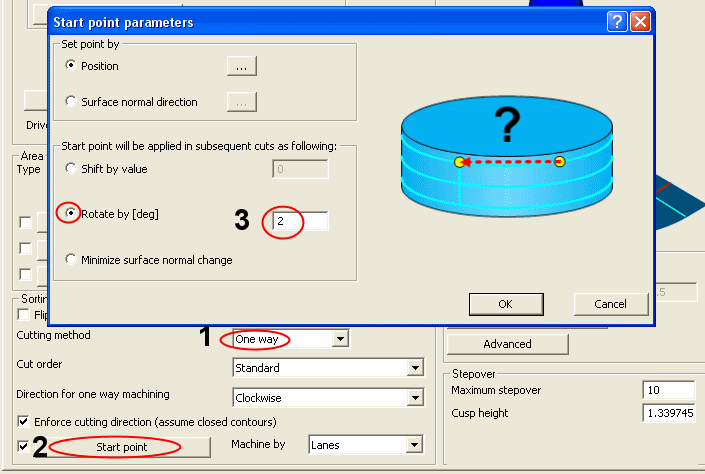
In Surface Paths tab, change the Cutting Method to One Way.
-
Click the Start Point button and change the Rotate by [Deg] value to 2.
-
Click the Link tab.
-
At the top of the dialog:
-
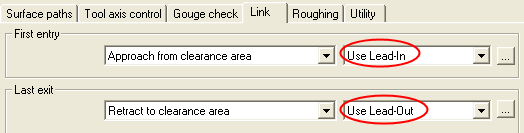
Change the First Entry to Use Lead-In.
-
Change the Last Exit value to Use Lead-Out.
Use Lead In/Out means to do some other kind of motion than straight approach or retract. The type of macro is defined in the lower part of the dialog. There is a special Lead for entry (approach) and one for exit (retract), described as follows:
-
First Entry: First approach motion of a procedure.
-
Last Exit: Last retract motion of a procedure.
-
-
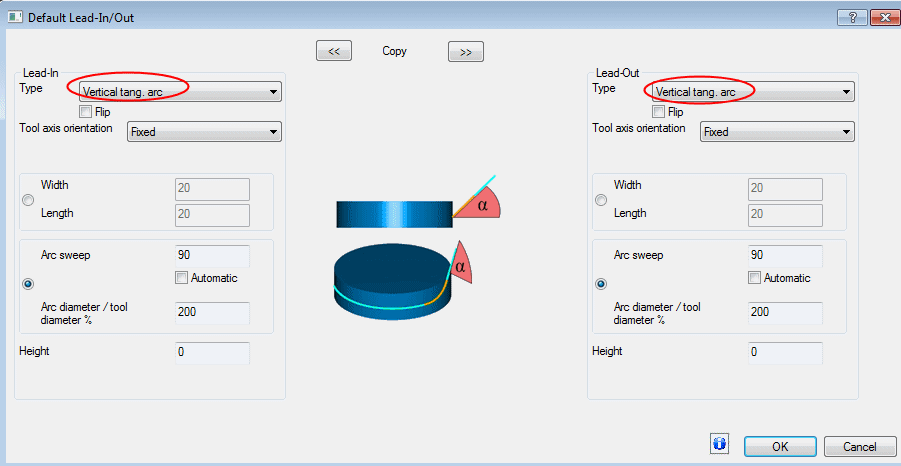
Click the Default Lead-In/Out button.

-
Select the Vertical Tang. Arc option for both leads:
-
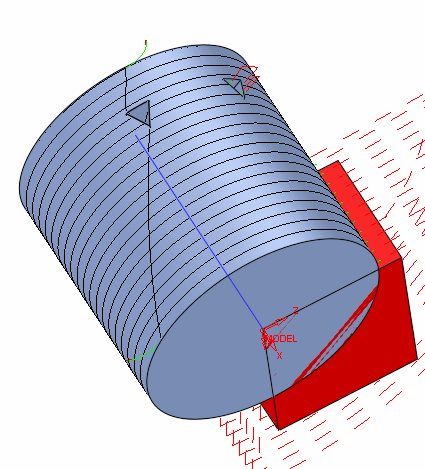
Execute and view results.
Notice the tangent approach and retract as a result of using the lead. There are a few entry/exit types of motions to choose from in the lead combo boxes.
The shifted start point is the result of the Rotate by [Deg] 2 that was set in the Start Point dialog.
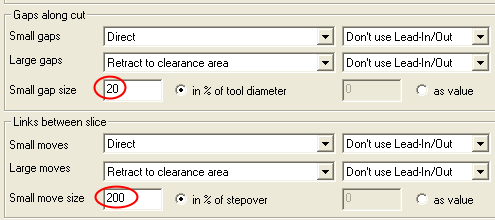
Near the triangular hole, two kinds of connection motions can be seen. One goes directly over the hole and the other jumps to clear. These motions can be controlled.