|
|
ECO Documentation
Create ECO Documentation
-
Unpack the Cover17_MD_Documantation.ctf file.
-
Open the Assembly file. Click the ECO tab.
-
Right-click the All ECO folder and select ECO Documentation.
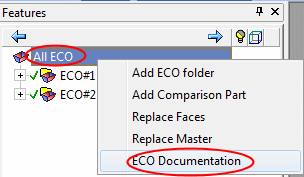
The ECO Documentation window is displayed. This window is divided into 6 areas:
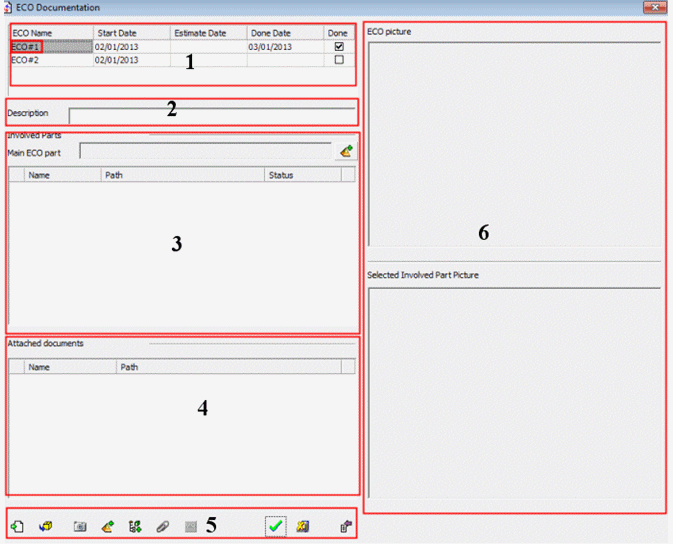
- ECO list containing the following data: start date, estimated date, done date, and status
- Description (to be manually added) and a captured picture for each ECO
- Involved parts in the ECO (to be manually added)
- Attached documents to the ECO (any type can be added)
- Tool bar
- Pictures area


