|
|
ECO Basic Concept: ECO Tree
Create a Parting Sub Assembly
-
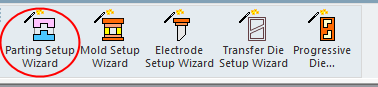
Start a new Parting Project. Click Parting Setup Wizard.
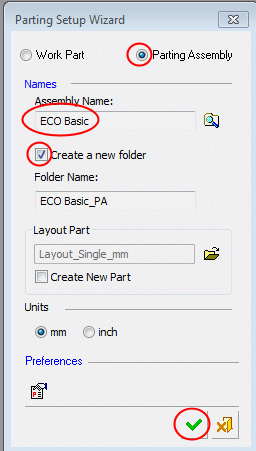
The Parting Setup Wizard dialog opens. -
Select the option to open a new Parting Assembly. Name the assembly ECO Basic. Click OK.
-
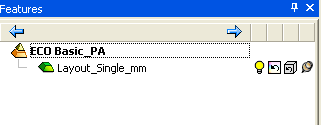
A new Parting Assembly is created that already contains a layout part.