|
|
Cutter Library
Cutter Library
In this section, we’ll deal with the second hierarchical level of Cutter and Holder database control: the cutter and holder libraries defined on your machine.
-
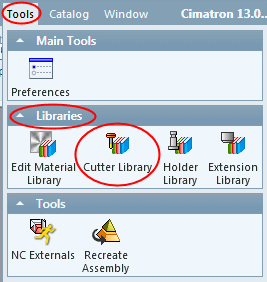
From the Tools menu, click Libraries >Cutter Library.
The Cutter Library is a collection of cutters located in different places (local machine, other machines) and in different file formats (.chl, .elt, and template files such as .pct, .tpt, and .mtt). The Cutter Library dialog shown in the following image is a typical example of a dialog that shows the different file formats―It does not show the Cutter Library dialog that you will view on your machine.
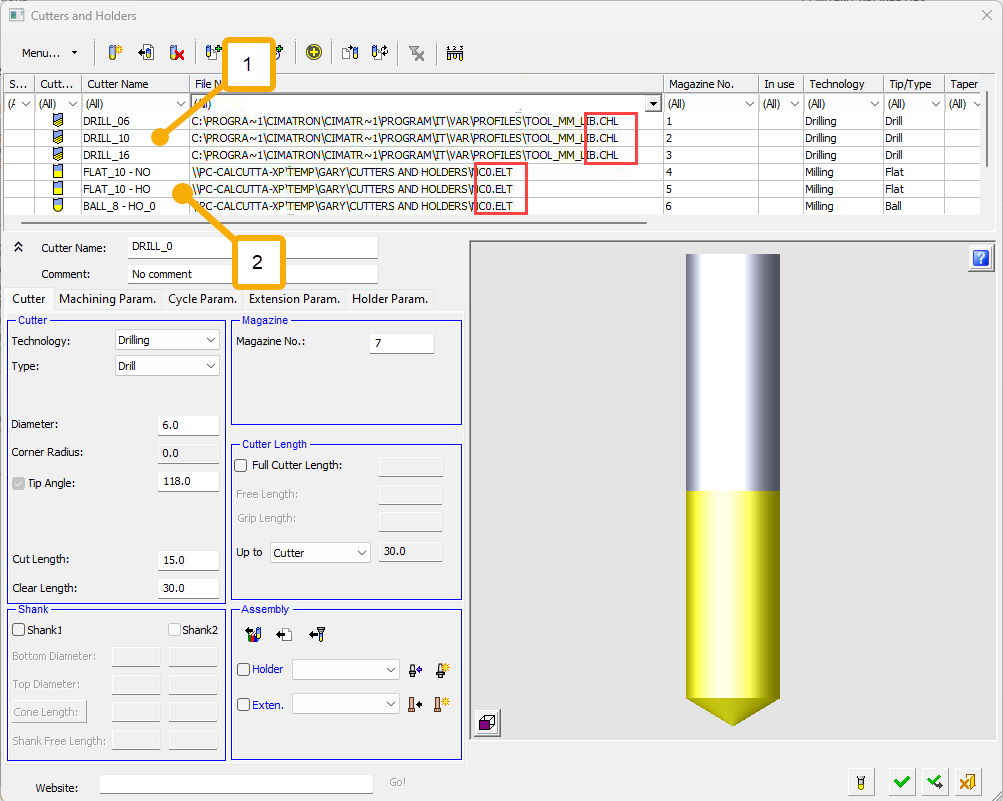
KEY
-
The first three cutters are stored on the local machine in a .chl file
-
The last three cutters are located on another users machine and are stored in an .elt file
You can edit cutters that belong to a local .chl file (cutter and holder library file), or those in .chl files owned by other users that share write permissions.
-
The location of the Cutter Library is defined in the GeneralNC Preferences. From the Preferences, you can also define whether to automatically load the Cutter Library for each new NC file.


