|
|
Cutter Location Manager
Cutter Library - Cutter Location Manager
Before proceeding with the Cutter Library operations, we'll describe the Cutter Location Manager, which is the top level of the Cutters and Holder database control.
-
From the Cutter Library dialog, select Manage Cutter Libraries and Cutter Locations.
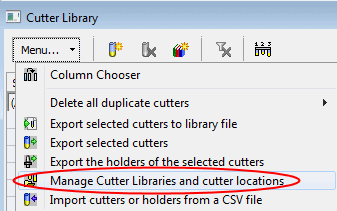
The Cutter Library - Cutter Locations Manager dialog is displayed.
This tool enables you to manage all your cutter libraries and their locations. Numerous cutter libraries can exist in various locations (on your local computer and also on local networked computers). This tool enables you to manage all these libraries from a single dialog.
The current default library (Default MM Lib) contains only the Tool_MM_Lib.chl file located in the following folder:
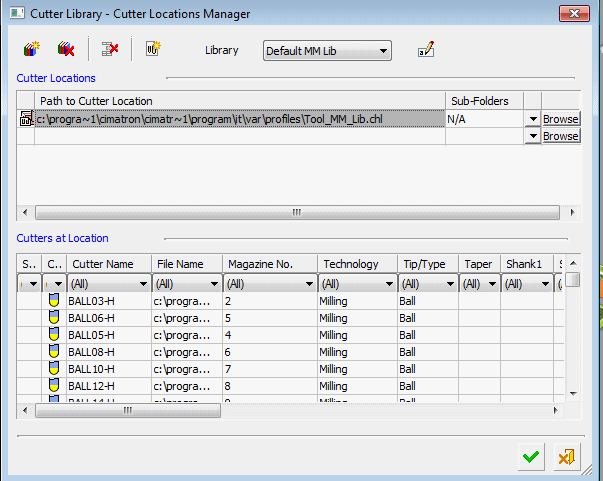
The library can also contain locations: folders and their sub-folders (whether they include cutters or not).
Folders or files may be located on machines other than your local machine.
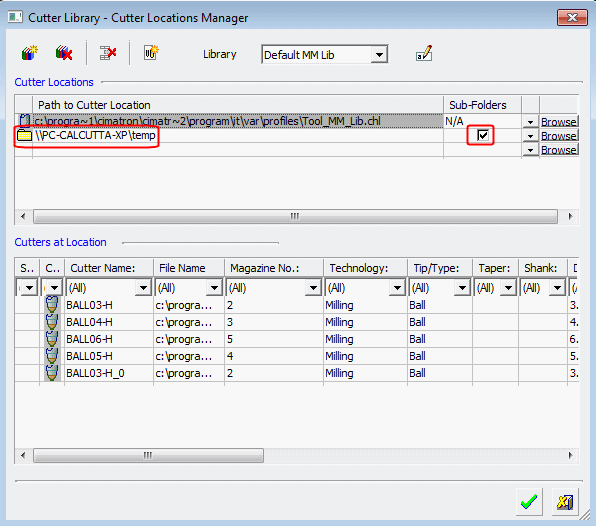
The library can include a location of files such as .elt, .chl, and template files.
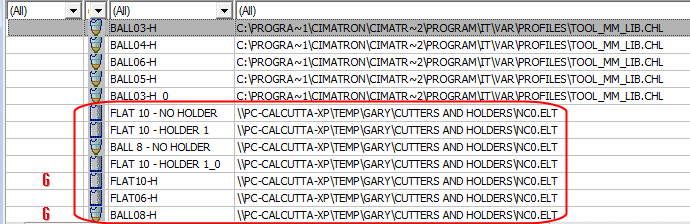
In the following image, the cutters of the .elt files are automatically displayed in the Cutter Library dialog.