|
|
Measurement Cycle: Cycles logic
Cycles Logic
Cimatron contains the ability to run measuring operations on the machine, using a special probe while activating various measuring software/capabilities of the machines themselves.
For this to happen, a special procedure has been developed called Measurement. It enables a generic definition of the most common measuring patterns (not all of them). As part of the procedure definition, the user can specify some actions that will take place on the machine itself after the measurement has finished and sometimes depending on the measurement results.
This new functionality is called In Process Measurement. The measurement procedures are supposed to be embedded in the milling process, as any other procedure. Users should decide where they want to measure anything and for which purpose. At this point, they should define a measurement procedure.
This exercise focuses on the definition and execution of the procedure itself, regardless of any milling process.
-
Load the IPM_exercise.elt file.
-
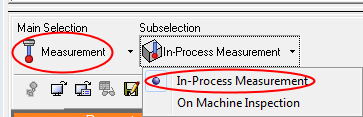
Start a new procedure. For the Main Selection select Measurement and for Subselection select In-Process Measurement.
Note that there is a second subselection option called On Machine Inspection.
It will be explained later on in the exercise.
-
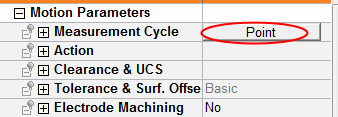
In the Motion Parameters, click on the Measurement Cycle option, Point.
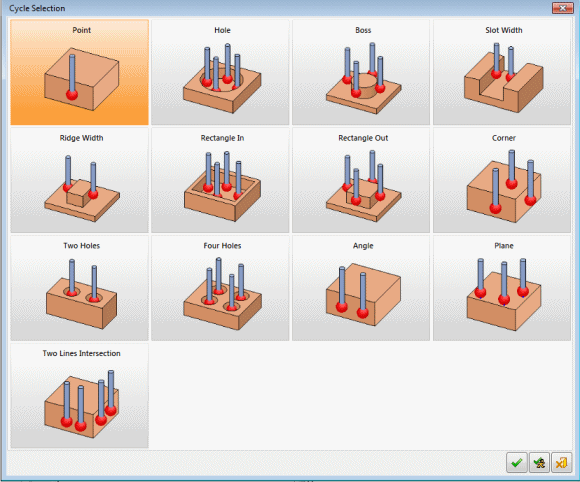
The Cycle Selection dialog is displayed.
All the available cycles are shown in a tile-like display. Some machines support more cycle types and some do not support all the ones the procedure offers.
The most commonly used are shown in the following image.