|
|
Cycles Logic 6
-
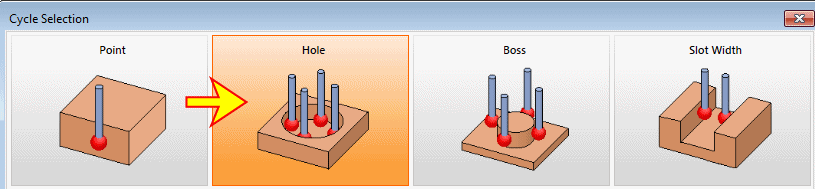
Start a new Measurement procedure and select Hole as the cycle to run.
-
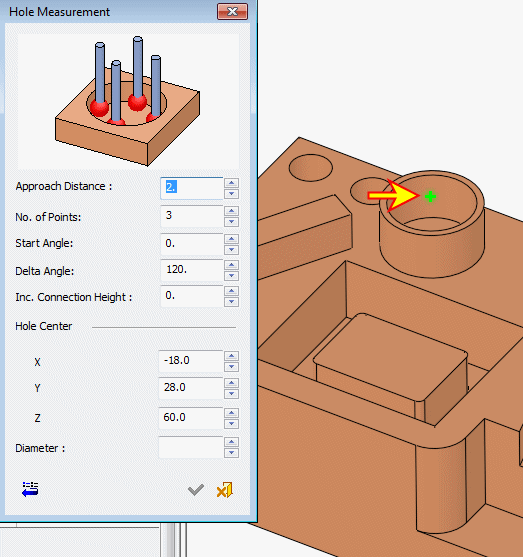
Within the Hole Measurement dialog, pick the inner face of the top cylinder.
-
The No. of Points parameter lets you select 3 or 4 measuring points.
-
Start Angle is the angle of the first point, measured from the positive X direction.
-
Delta Angle is the incremental angle between the measured points.
-
The XY coordinates show where the circle center is located.
-
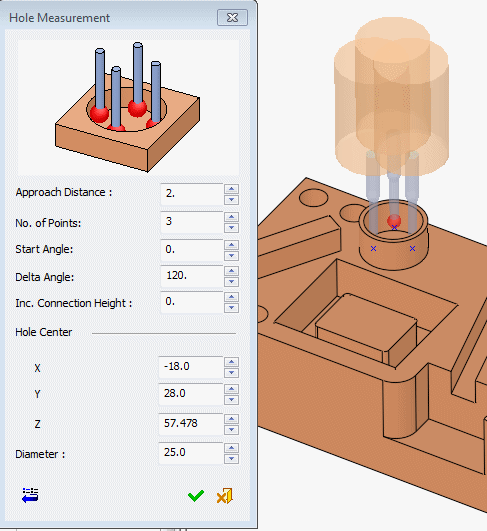
The Diameter shows the nominal diameter as measured from the geometry.
The combination of the first two parameters enables measurement of open cylindrical faces.
-
-
Set the other parameters:
-
Click OK and execute the procedure.


