|
|
Cycles Logic 8
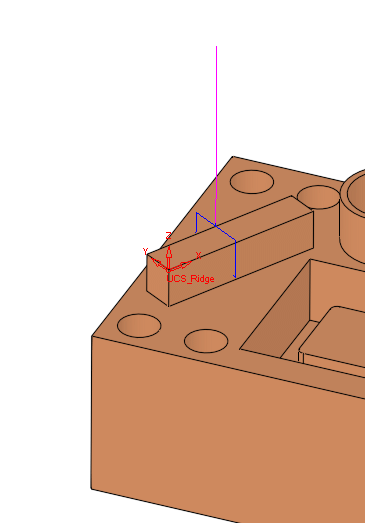
Measuring a geometry feature that is not aligned with the main directions may be problematic for some measuring systems, and in others it is handled by changing the coordinate system (working plane) for the specific procedure. The same as it is done for 3+2X milling operations.
-
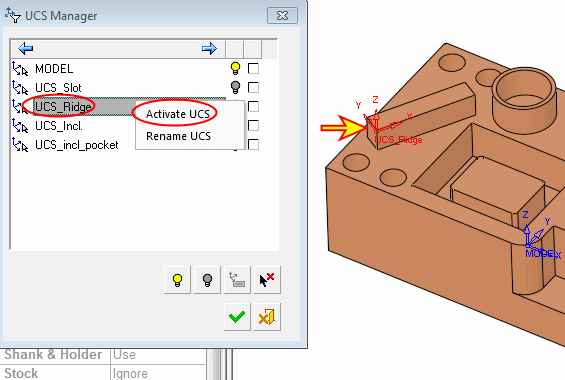
Display and activate the UCS called UCS_Ridge, using the UCS Manager.
-
Create a new Measurement.
In Process Measurement procedure.
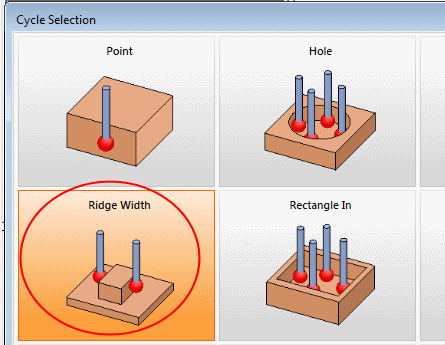
Double-click the Ridge Width option.
-
Pick both sides of the ridge as shown in the following image.
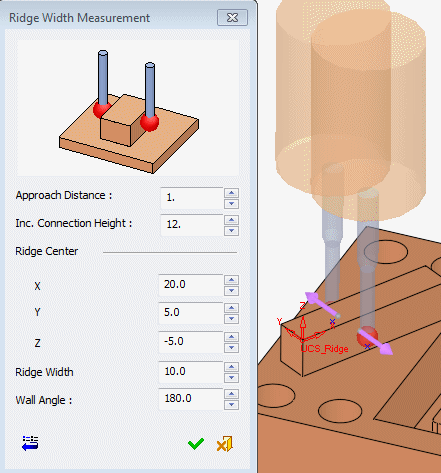
Notice that the dimensions are given according to the active UCS.
If the post is properly set, this is how it will be output to the program. -
Set the rest of the parameters.
Notice that the X value can be freely changed as the ridge is aligned with the UCS. -
Click OK and execute the procedure.