|
|
Deburring 2
-
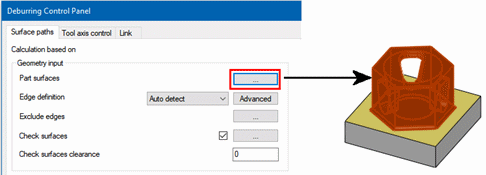
In the Surface paths tab, click the Part surfaces ... button and select all orange faces.
-
Set the Edge Definition as Auto detect.
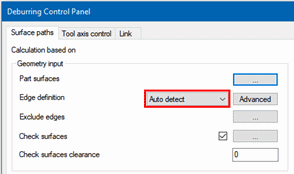
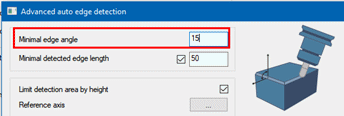
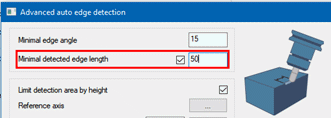
Note that via the Advanced dialog on the right, it is possible to:-
Limit the detection to a Minimal edge angle (between surfaces on both edge sides).
-
Limit the detection to a Minimal detected edge length.
-
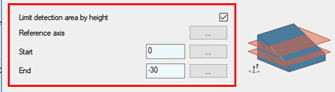
Limit detection area by height to a slice from the selected part surfaces by setting Start and End values along a direction that is defined by Reference axis.
-


