|
|
Deburring 4
-
In the Tool axis control tab, set the Machining type to 5 axis (simultaneous).
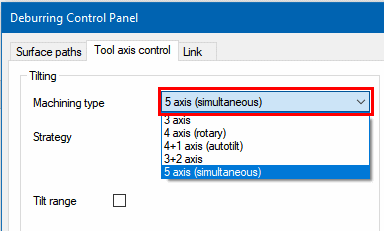
Note the other options:-
3 Axis – No tilting.
-
4 Axis (Rotary) – the tool is always orthogonal and points to the rotary axis.
-
4+1 Axis (Autotilt) – 4 axes simultaneous + one axis set with a fixed angle to a specified axis. Optional – point tool to rotary axis.
-
3+2 Axis – tool kept with a fixed orientation as much as possible, with smooth transition between orientations. Collision avoidance can force a 5 axes simultaneous motion.
-
5 Axis (Simultaneous) – full 5 axes.
-
-
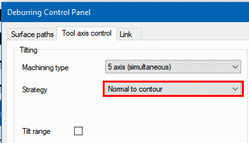
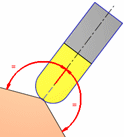
Set the Strategy to Normal to contour. For initial orientation (as seen in the right hand image), the system tries to keep the tool orthogonal to the edge in a bi-vector orientation between the two surfaces of the edge. Collision control may change this orientation.
-
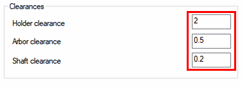
Collision detection is always activated. It will change the tool orientation to Avoid. The image below shows the clearance values to the different tool portions.
-
Execute the procedure and use the Navigator to examine the results. For some of the edges, the tool approaches in a bad orientation and gouges the part. This occurs at times since the system is not always able to find a collision-free orientation.