|
|
Deburring 5
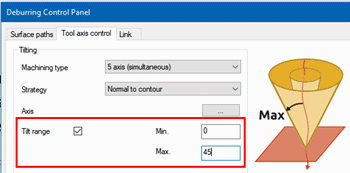
One way to get a better result is by limiting the Tilt range between a Min. of 0° (vertical) to a Max. of 45°.
Another way is to change the Strategy to Fixed to main axis with a specified angle to an axis. The axis itself is defined in a secondary, Rotation axis selection dialog, as vector, coordinates, or direction.
-
Set the parameters as shown in the following image:
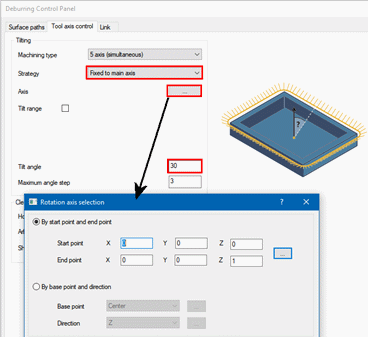
The Fixed to main axis option keeps the tool axis at a fixed angle to an axis, but with the possibility to tilt away if necessary due to collision avoidance calculations. It is expected to be the most used option because it provides minimal tilting with full flexibility and collision avoidance. -
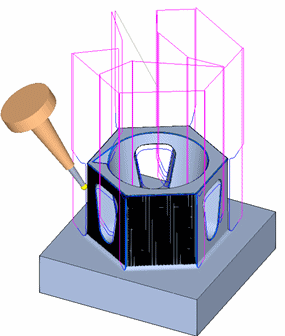
Execute the procedure and simulate (without the Part) to examine the results.
Notice that the tool is mostly at a fixed angle towards Z-axis unless forced to change to avoid holder collision.
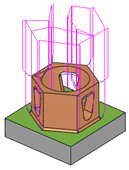
Rotate the geometry to notice an even chamfer all along all the edges.
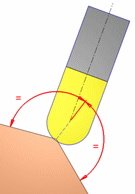
This can be achieved since, regardless of the tool orientation, the touch point of the tool is always in a way that the center of the tool is on a bi-vector direction to the edge (see the image on the right).
-
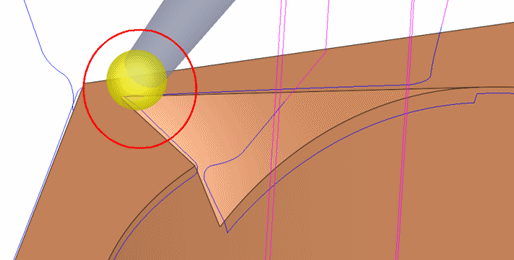
Exit the simulator. Navigate and zoom-in to the inner corner as shown below. At the corner, the tool approaching from the right stopped at a position where the chamfer size on both edges is equal while trimming the motions to the exact corner.