|
|
Deburring 6
-
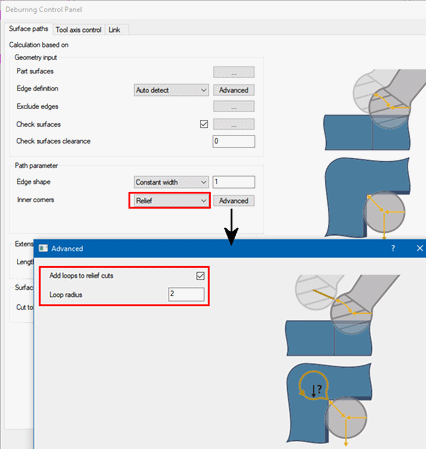
Edit the procedure. Change the Inner corners setting to Relief. Open the Advanced dialog. Mark the Add loops to relief cuts checkbox and set the Loop radius to 2 mm.
Relief causes a smoother transition between the specified area that can be machined and the areas that cannot be reached by the tool in the inner corners.
-
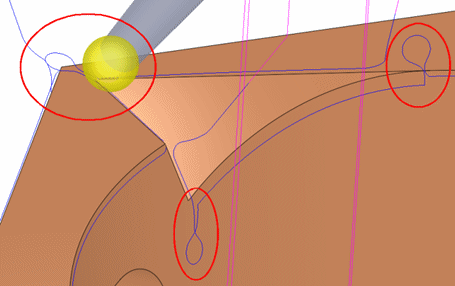
Execute and activate the Navigator. Notice the change in the motions at the inner sharp corners.
The Links tab should already be familiar to you. Try changing the different options and review the results.


