|
|
Delete
The Delete tool enables the user to delete or trim sections of the toolpath.
-
Load the 1_NC_Electrode.elt file.
-
Turn on and select the F-All3 procedure.
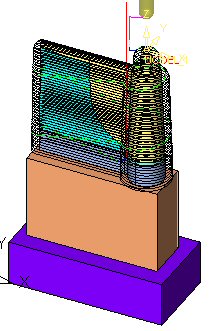
-
Selection: Enter the Motion Editor. Click the Delete button from the Guide.

-
Expand the selection options.
A dropdown list is displayed. Click Pick Contour.
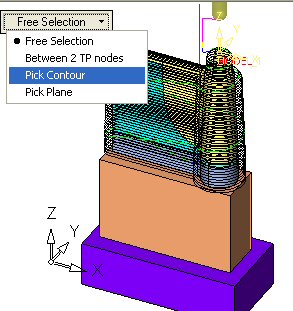
The other options are:
Pick using any of the following options:
-
Specific toolpath segments: Single selection (one by one)
-
By drag box
-
Unselect by drag box (shift + box)
-
Select all
-
Unselect all
Between 2 TP NodesBetween 2 TP Nodes
All nodes between these two nodes will be selected.
Select closed 2D/3D contour(s) / sketches / polylines / NC contours.
Pick a plane or planar face (also for trim).
-


