|
|
Single
Single Drive - Step 1
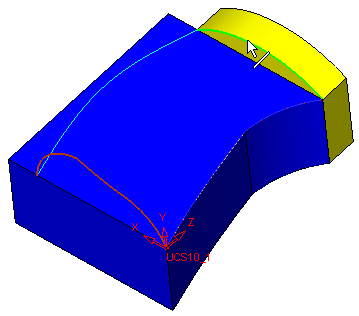
The Single Face option allows you to create one face by driving one or more sections over:
-
One spine
-
Two spines
-
One spine and one rail
-
Enter the Drive function and accept the Single Face option.
-
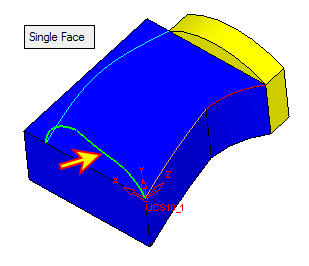
Select the sketch as shown in the image below:
-
For the second section, select the edge shown in the image below: