|
|
Step 2 - Create a Single Pass Swarf Milling Procedure
-
Duplicate the procedure and edit it.
-
Open the 5X Production Control Panel dialog.
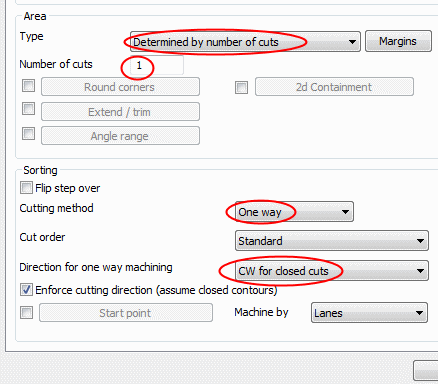
For the Area > Type, select the Determined by Number of Cuts option and set the Number of Cuts to 1.
Change the Cutting Method to One Way.
-
Switch to the Tool axis control tab.
-
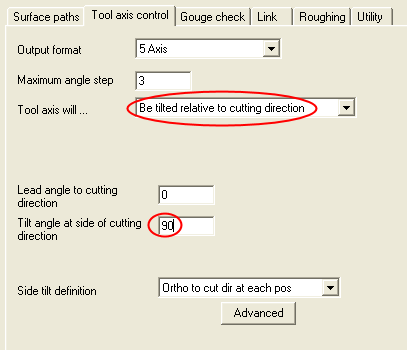
Set Tool axis will to Be tilted relative to cutting direction.
-
Set Tilt angle at side of cutting direction to 90.
-
-
Click OK and Save & Calculate the procedure.
Enter the Navigator to examine result.
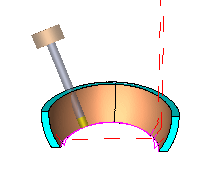
Notice that the cutter is tangent to the faces at each touch point.
This configuration caused the cutter to Swarf mill the faces, cutting with the cutter side.
Notice that the motion is interrupted at one point and the cutter retracts to clear height.
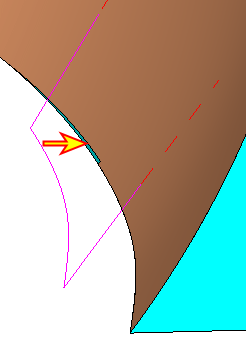
The retract motion is caused by the gap in the geometry. The cut along the lower edge is interrupted.