|
|
Step 3 - Handle Gaps Along Cut
-
Duplicate the procedure and edit it.
-
Open the dialog.
-
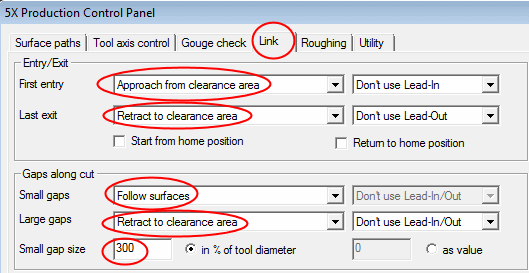
Click the Link tab and set the Small Gap size to 300.
-
Make sure that the Small Gaps behavior is set to Follow Surfaces.
-
-
Click OK and Save & Calculate the procedure.
-
Hide the Phantom Connections motion in the Global Filter tree.
-
Enter the Navigator to examine the results.
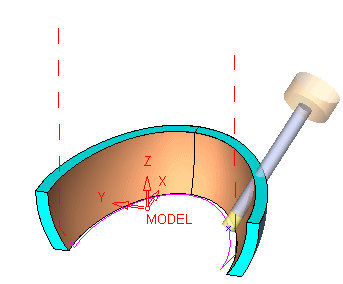
The retract to clear option no longer exists and the motions are following the faces as much as possible. Notice that the Drive Surfaces are being gouged by the cutter all along the motion.


