|
|
Geodesic 3
-
Set the Input type for the multiple curves to Automatic (machining area). With this setting, the system will assume the curve according to the selected machining surfaces boundaries.
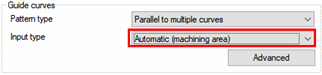
-
Ensure that the Area Type is set as Entire Machining Area so that all selected surfaces would be machined.
-
Set the Cutting method as Spiral and the Maximum step-over as 2 mm.
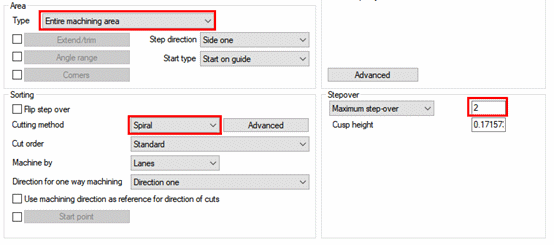
-
The Tool axis control tab includes many parameters that are familiar from 5X-Production. Set the Tool Axis parameter to Be tilted relative to cutting direction with zero lead and side angles.
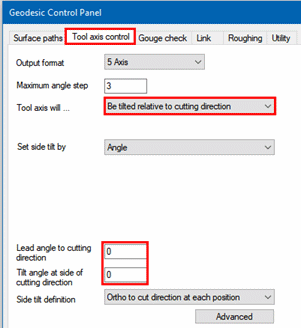
-
Save & Execute the procedure.
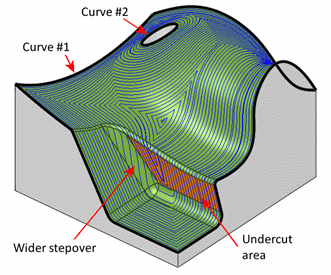
Notice that the system automatically recognized the curves to calculate the motions. One is the outer contour and the second is the hole’s edge. The motions are offset from these two curves until they blend somehow towards the center.
The BROWN face, which is in an undercut position, is being machined as well.
At some areas, the stepover seems to be wider than anywhere else. This is the result of the tool, center mode calculation. The stepover has been calculated on an offset geometry and then projected along the tool orientation onto the real geometry, which is why it looks as if it is not conforming to the set stepover value.