|
|
Geodesic 6
With all the calculation attempts until now, the motions were interrupted by the hole.
-
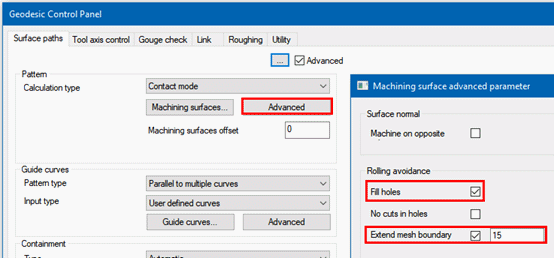
Edit the procedure.
Click Advanced Machining Surfaces.-
In the dialog that opens, mark the Fill Holes checkbox.
-
In addition, set the Extend Mesh Boundary to 15 mm.
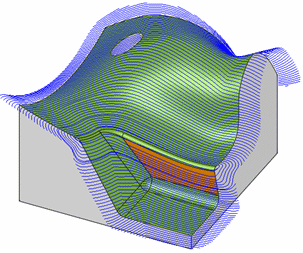
The result of this setting is shown in the following image.
The motions continue uninterrupted across the hole. Note that all internal holes are automatically considered. It is impossible to be selective here.
The motions along the outer circumference are extended tangentially by the set size. This is done to ensure that the edges are kept sharp and the cutter is not rolling over.
-
-
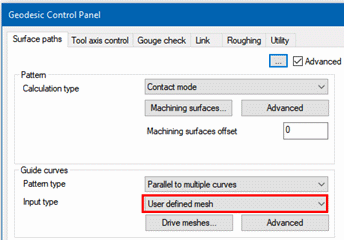
Edit the procedure. Set the Input Type of the Guide Curves to User defined mesh.
-
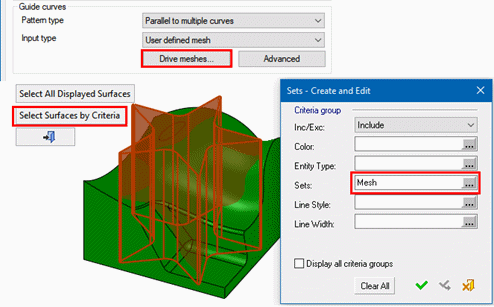
Click the Drive Meshes … button and click Select Surfaces By Criteria.
-
Select Mesh as the Set.