|
|
Group Definition - Step 2
-
Create six (6) more groups.
- Movable Side
- Ejection
- Slider Left
- Slider Left Mirror
- Slider Right
- Slider Right Mirror
-
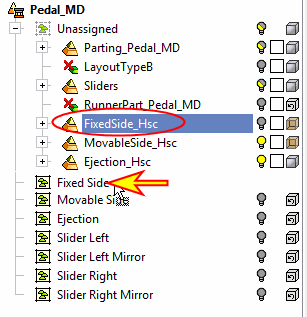
Drag and drop parts from the Unassigned group to the groups. Expand the Unassigned group.
-
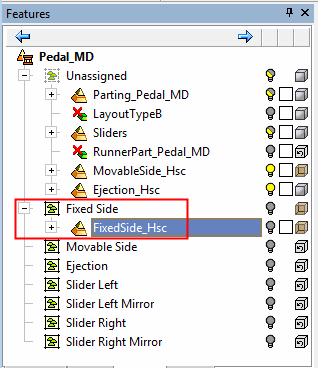
Drag the FixedSide sub-assembly and drop it under the Fixed Side group.
The tree is a logical tree, and you may move parts between groups regardless of their actual location in the Assembly structure tree.
-
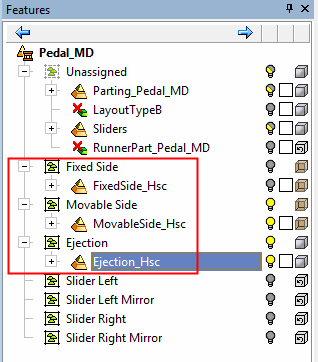
Move the main sub-assemblies to the new groups as shown in the picture below: