|
|
Layer Connection
-
Load the LayerConnection.elt file.
Observe the Finish Mill All procedure in the second toolpath.
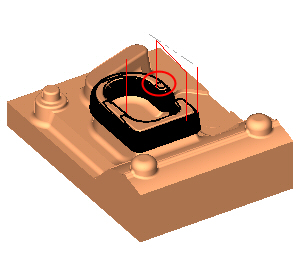
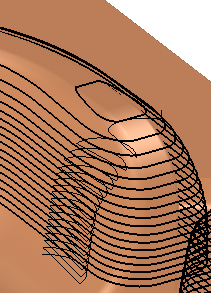
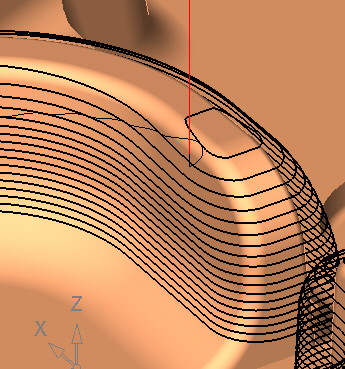
The connection between the layers spirals down on the surfaces.
-
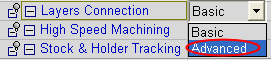
Edit the procedure. Change the layer connection type from BasicBasic to AdvancedAdvanced.
-
Save and calculate.
-
Duplicate the procedure. Edit the duplicated procedure.
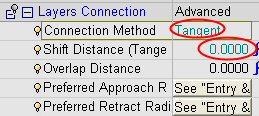
Set the parameters as shown in the following image:
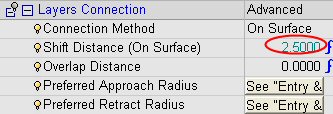
The connection method has two options: On SurfOn Surf and TangentTangent.
Connect the layers by moving the cutter from one layer to the next through the air.
Connect the layers by moving the cutter from one layer to the next on the surface of the part being machined.
-
Execute the procedure.
Shift Distance controls the stretch of the connection spiral motion.
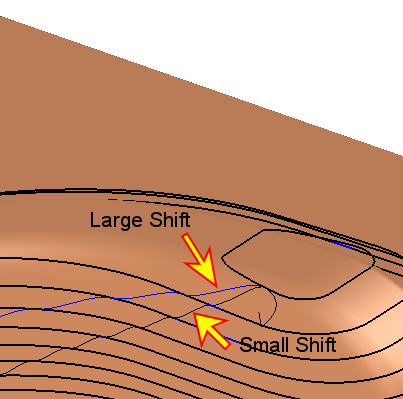
In the On Surf option, Shift Distance is obligatory and cannot be smaller than the vertical step.
-
Rerun the first procedure. Change the Overlap DistanceOverlap Distance to 2.
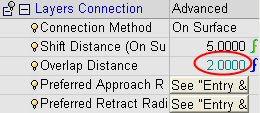
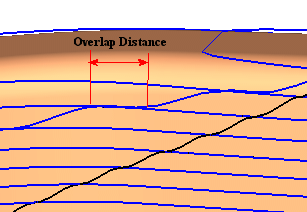
The Overlap Distance controls the distance between the approach and retract points of a certain layer.
-
Hide the first procedure. Edit the second procedure.
-
Set the Layers Connection Method to Tangent and the Shift Distance to 0.
-
Save and calculate. Note that all connections are vertically aligned.