|
|
On Machine Inspection 3
-
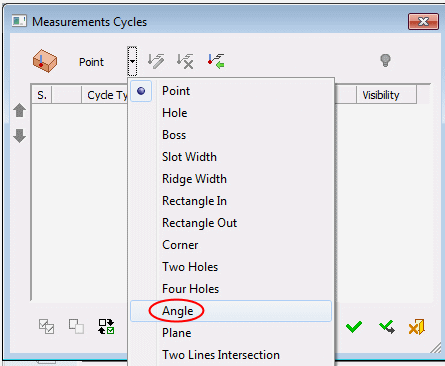
Select the Angle option from the dropdown menu.
-
Pick the two points on the ridge wall as shown in the following image:
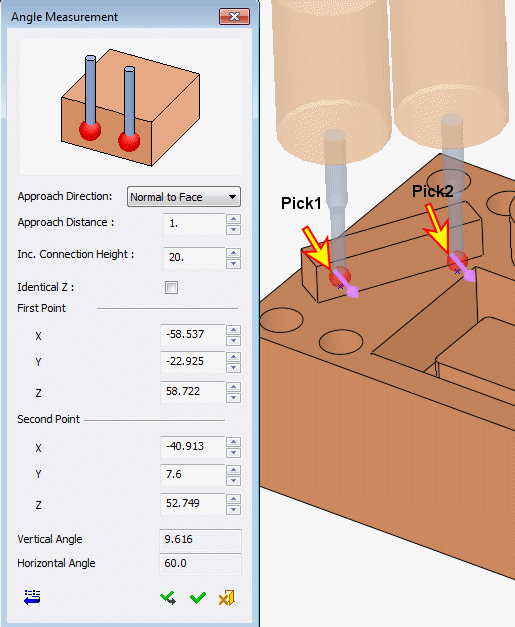
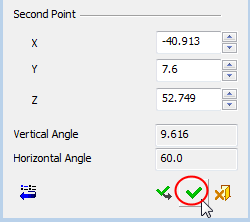
The Horizontal Angle parameter shows 60. This is the angle of the wall, measured from the positive X axis of the active UCS.
Note that for the angle measurement, the order of the picked points is important as it determines the vector direction for the calculation. For example, in the images above, the first picked point was on the left side of the ridge, resulting in a Horizontal Angle of 60. If the first picked point was on the right side of the ridge, the Horizontal Angle would be 240.
The Vertical Angle is the angle from the horizontal. Notice that the Z coordinates of both picked points are probably different. If the Z coordinates for both the points are manually set to be the same, the Vertical Angle value will be 0. -
Click OKOK.