|
|
Optimized Entry Mode
-
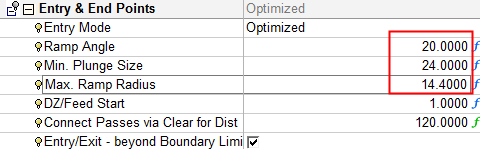
Change the Entry Mode to Optimized and set the Ramp Angle to 20.
-
Save and calculate the procedure.
In this mode, Cimatron compares the machining length between the two entry options:
- Plunging in the material (calculated according to the ramping motion).
- Plunging in the air and making a slotting pass.
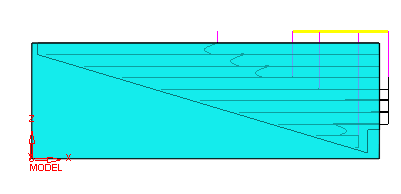
In this example, the Ramp Angle is 20 degrees and, therefore,Cimatron uses the Plunge option.
-
Change the Ramp Angle to 10.
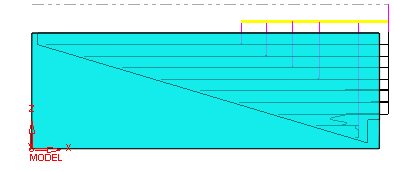
The ramping motion becomes longer and the system prefers to plunge in the air and then make slotting passes. -
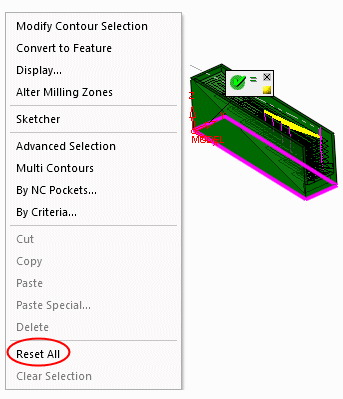
Open the procedure, select the Boundary parameter in the Geometry tab and remove the boundary.
-
Save and calculate the procedure.
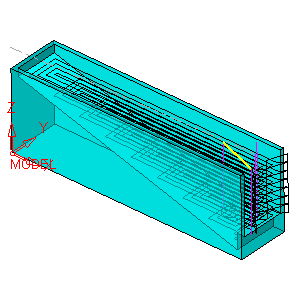
The tool plunges outside the material and then makes a slotting motion towards the pocket start point. The lower layers are machined using a plunging motion due to the step.
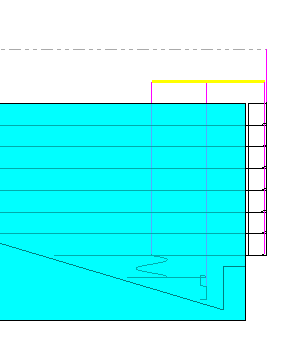
The lower layer does not use a helical plunge as there is not enough room for the cutter to use this method. Instead, a slotting plunge method is used.


