|
|
Perform Optional Operations - Step 3
Another optional stage is the Set Permanent Connections. It is used to assign permanent connections to rigid sets. Permanent connections are useful in cases where a rigid set should be directed along a certain trajectory, yet guiding components (such as rails, leading pins, and bushings) do not exist.
-
Click the Set Permanent Connections button.

-
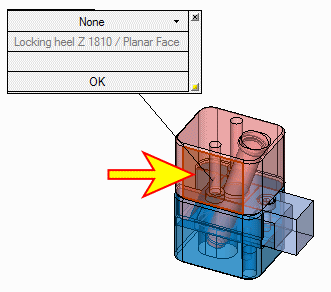
Select the locking heel side face; a figure is displayed on screen as shown:
-
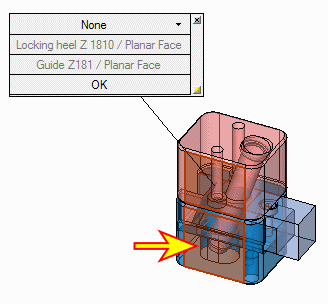
Select the guide side face.
-
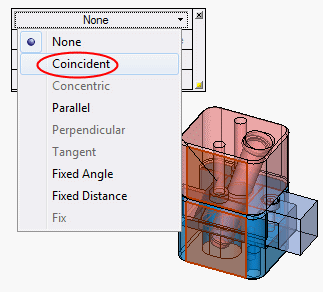
From the dropdown list, select the Coincident type constraint.
-
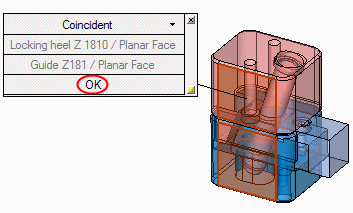
Click OK at the bottom of the constraint figurebottom of the constraint figure.