|
|
Perform Optional Operations - Step 4
-
Select the back face of the locking heel and select the Fix type constraint as shown:
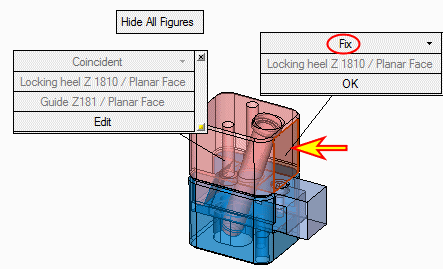
The Fix type constraint indicates that the selected component motion will be limited to the selected plane (or if a cone face or edge is selected, the motion will be permitted along the selected face axis or along the selected edge).
-
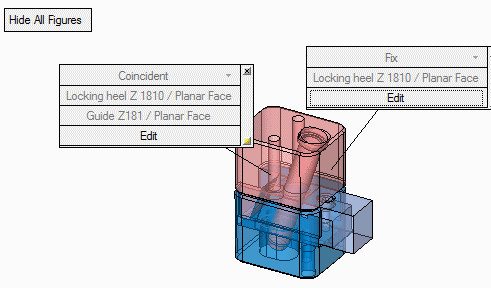
All assigned constraints are shown and can be edited by clicking Edit.
-
Delete both constraints by clicking the X button in the upper-right corner of each figure.
The figure can also be hidden by clicking the HideHide button in the bottom right corner.
 -
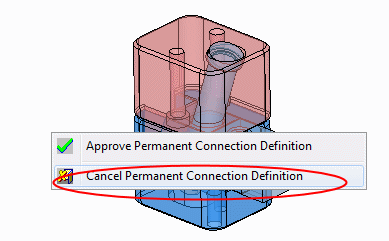
Right-click (in the display area) and select Cancel Permanent Connection Definition.